
During the quoting process, a Nesting Cost can be calculated for the part by running either a Single- or Multi-part nest.
SecturaFAB will automatically nest on default sheet sizes, however custom sheet sizes can by typed in during the quoting process. This article will describe how to dictate the default sheet sizes that will be used for nesting.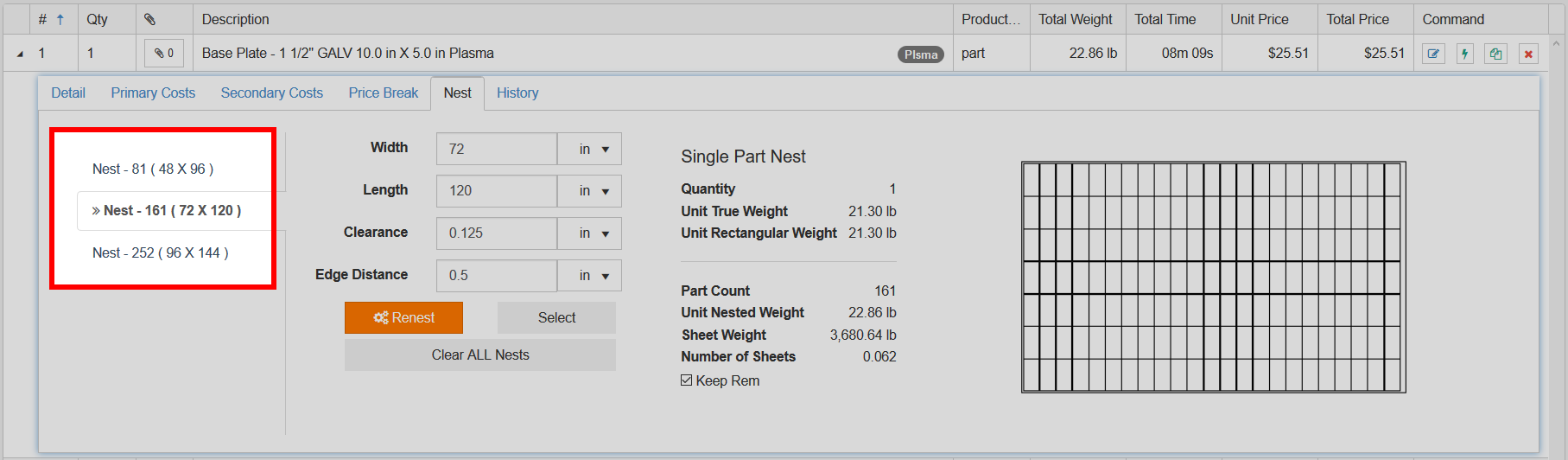 The default sizes are set and associated with the profiling machine that is selected for the line item.
Find the appropriate machine in Setup > Production > Equipment and enter edit mode.
The default sizes are set and associated with the profiling machine that is selected for the line item.
Find the appropriate machine in Setup > Production > Equipment and enter edit mode.
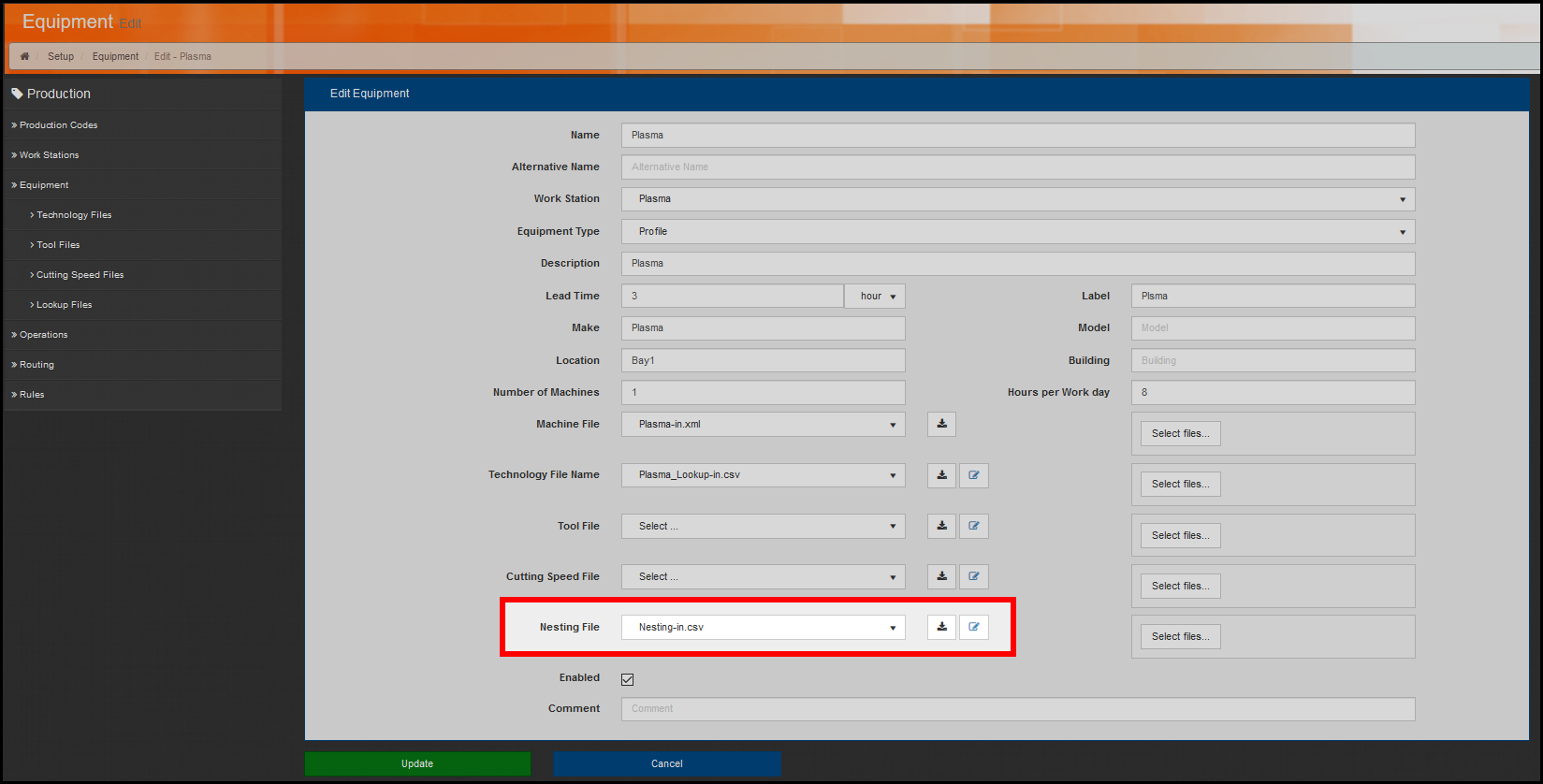 The default sizes that will be nested on when this profiling machine is used is dictated in the Nesting File
More than one profiling machine can share the same Nesting File. This provides the functionality to standardize the same settings across a collection of machines.
There is two ways to interact with this Nesting File. The first is to download the file, edit it with any spreadsheet tool, and re-import it. Secondly, the online edit tool can be used to view or make minor adjustments.
When a typical nesting file is viewed with the online edit tool it typically contains the following data:
The default sizes that will be nested on when this profiling machine is used is dictated in the Nesting File
More than one profiling machine can share the same Nesting File. This provides the functionality to standardize the same settings across a collection of machines.
There is two ways to interact with this Nesting File. The first is to download the file, edit it with any spreadsheet tool, and re-import it. Secondly, the online edit tool can be used to view or make minor adjustments.
When a typical nesting file is viewed with the online edit tool it typically contains the following data: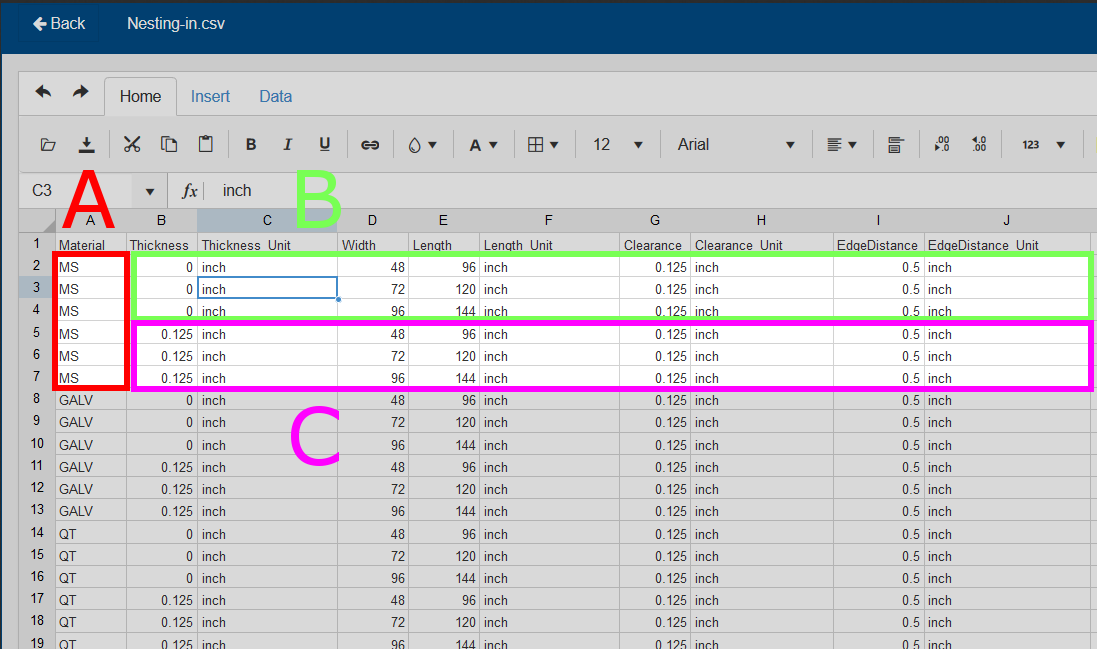 A
B
C
B
A
B
C
B
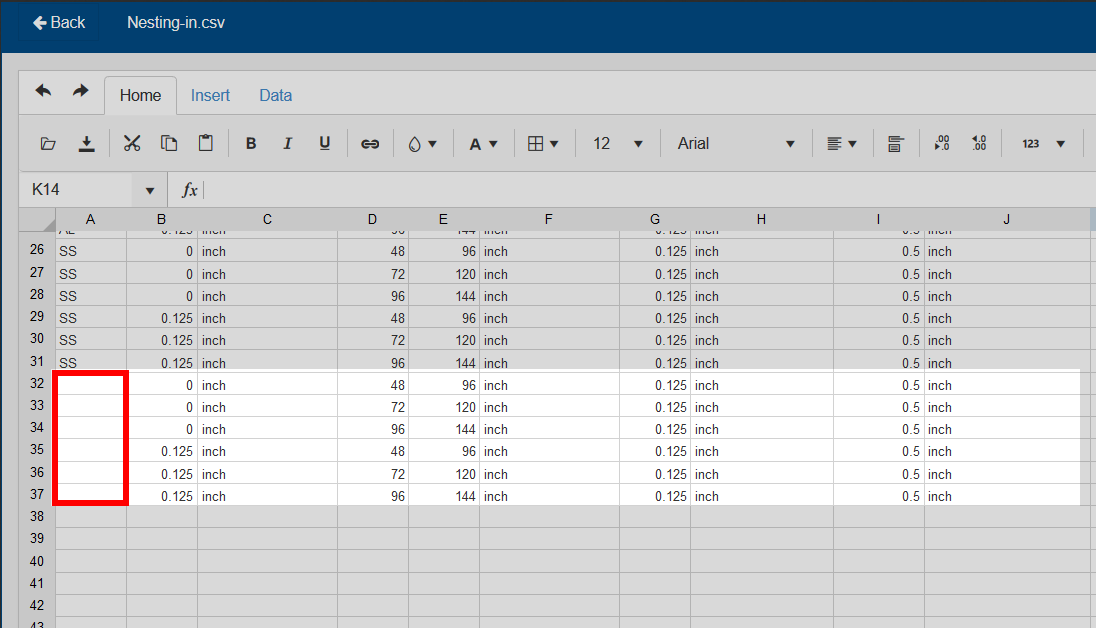 A section can be added that does not specify any Material Group. This fall-back-else section will dictate the settings that will be used when nesting on a Material that belongs to a Material Group, for which no explicit section exists in this particular Nesting File.
Related to