
Have better visibility of large quotes by adjusting the line-item grid.
Let’s discover how.
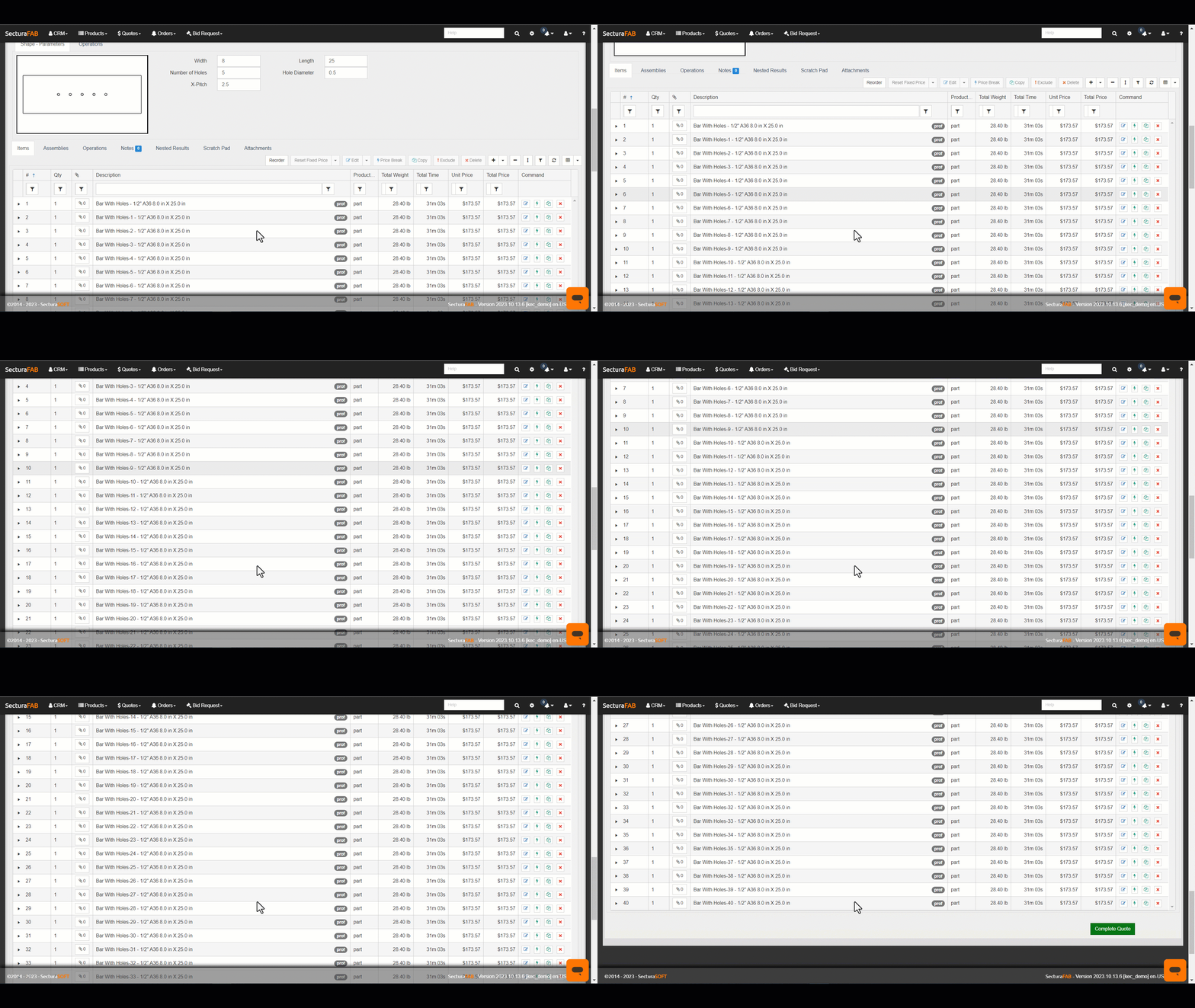
1. For this example, we created a 40-line-item quote.
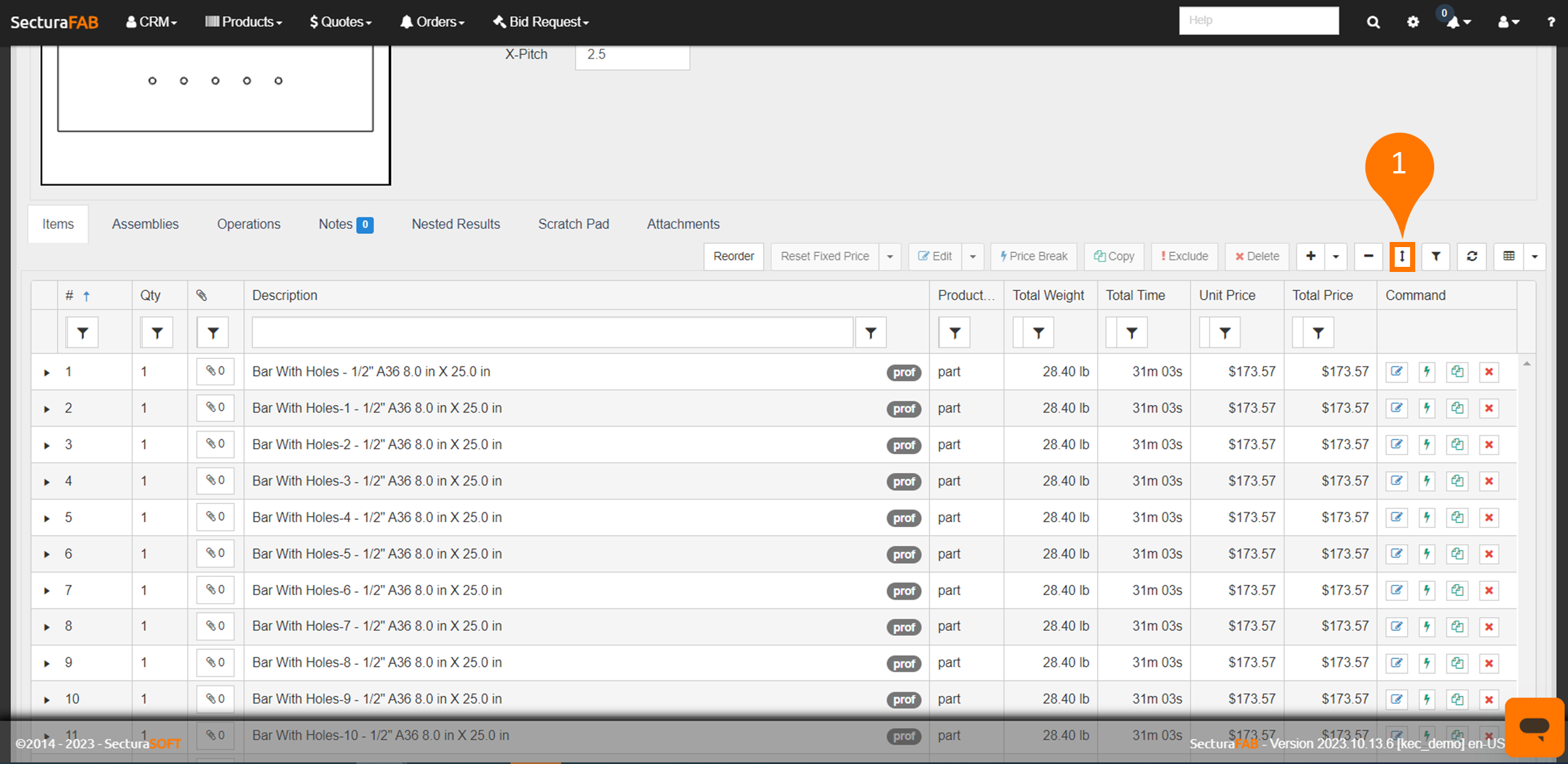
2. Adjust the line-item grid by selecting the “Resize Grid” icon.
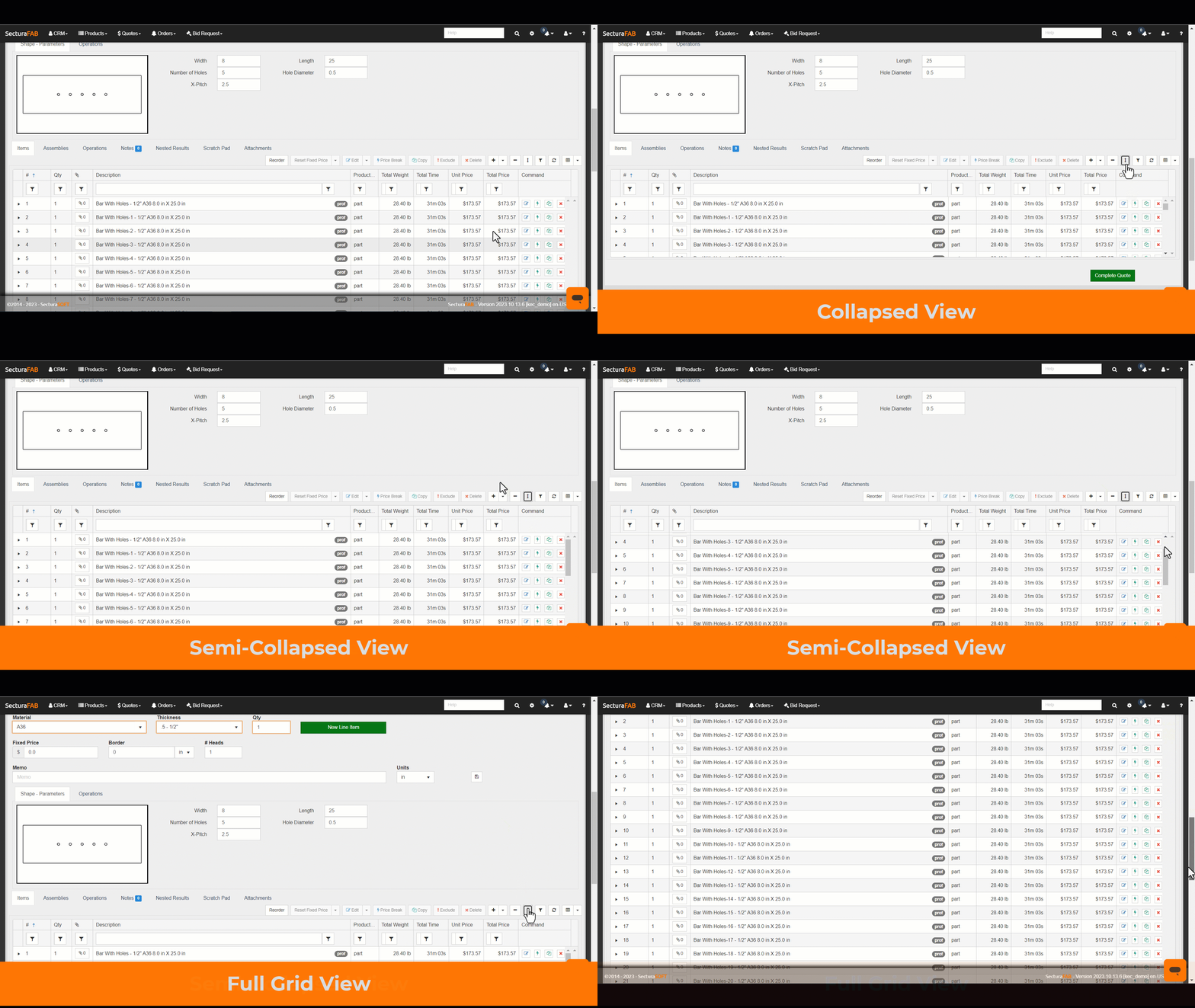
3. There are three options when resizing the grid. One is a collapsed view (4-line items); another is a semi-collapsed view (11-line items). Finally, the grid expanded entirely (40-line items). Choose the best view.
Related to