
With preferred routing enabled, operations will apply in a preferred sequence. When disabled, operations will apply in the order they are selected. Let's explore how.
Enable Preferred Routing
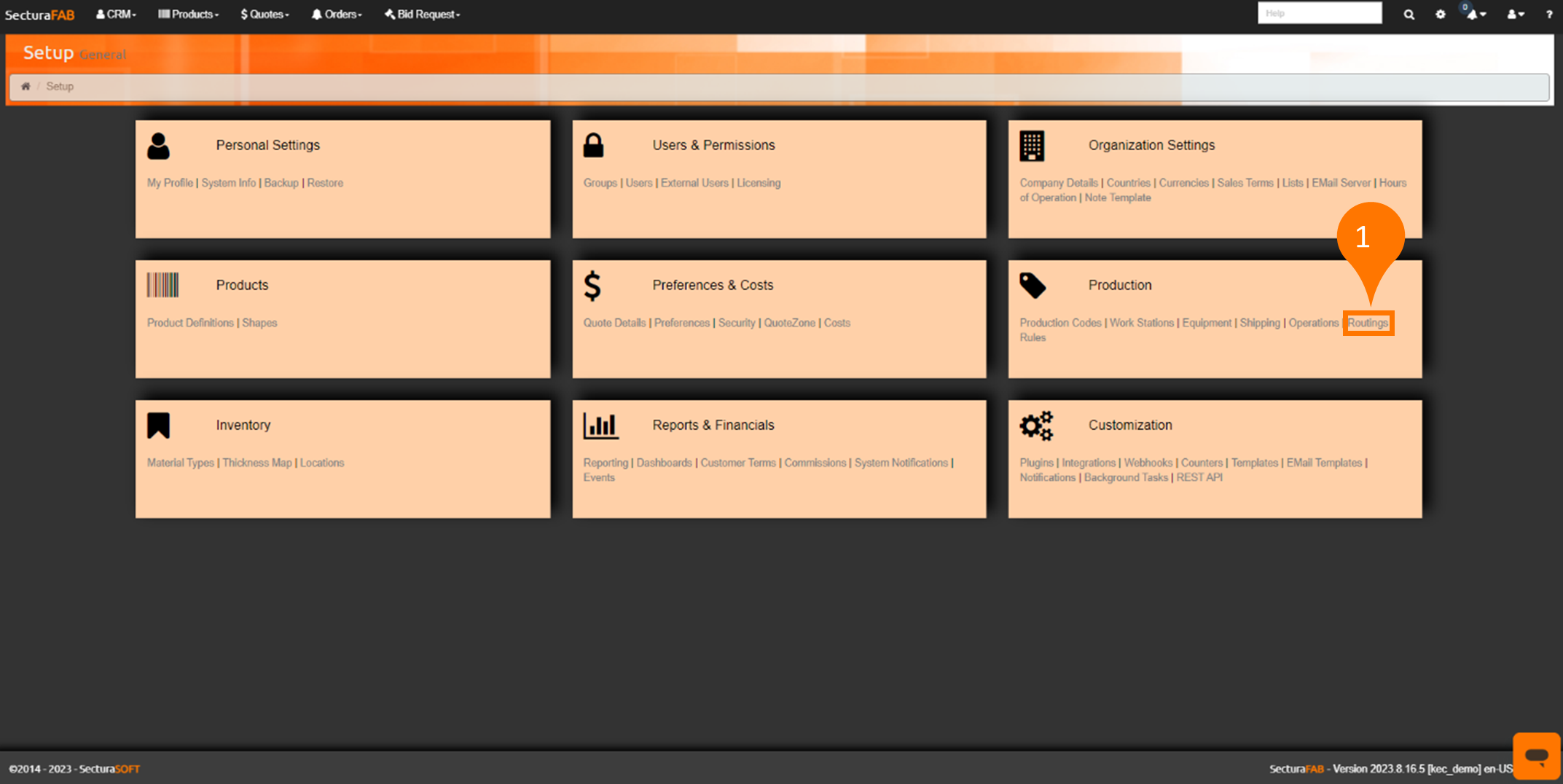
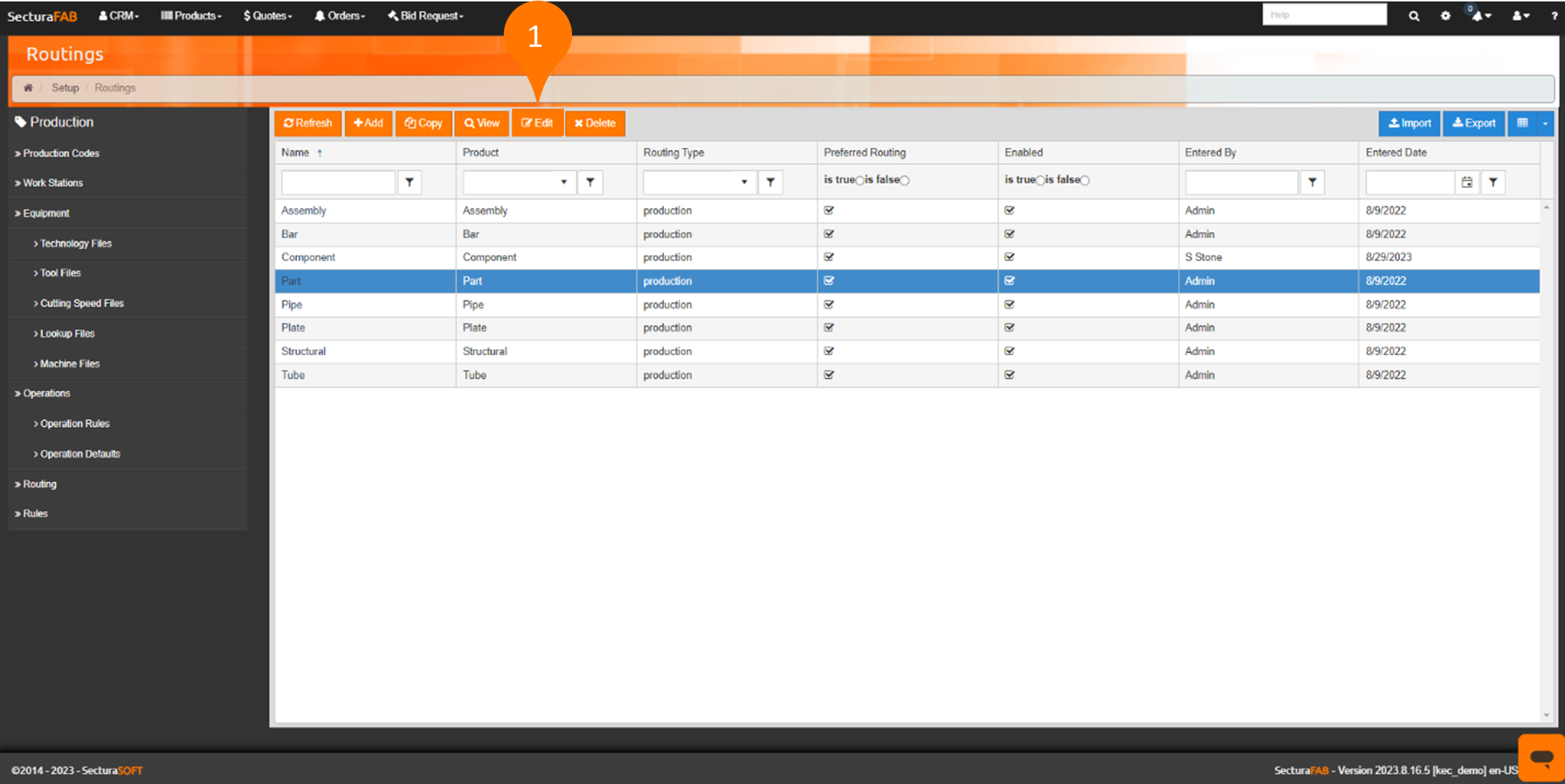
1. Select "Routings" from the Production settings.
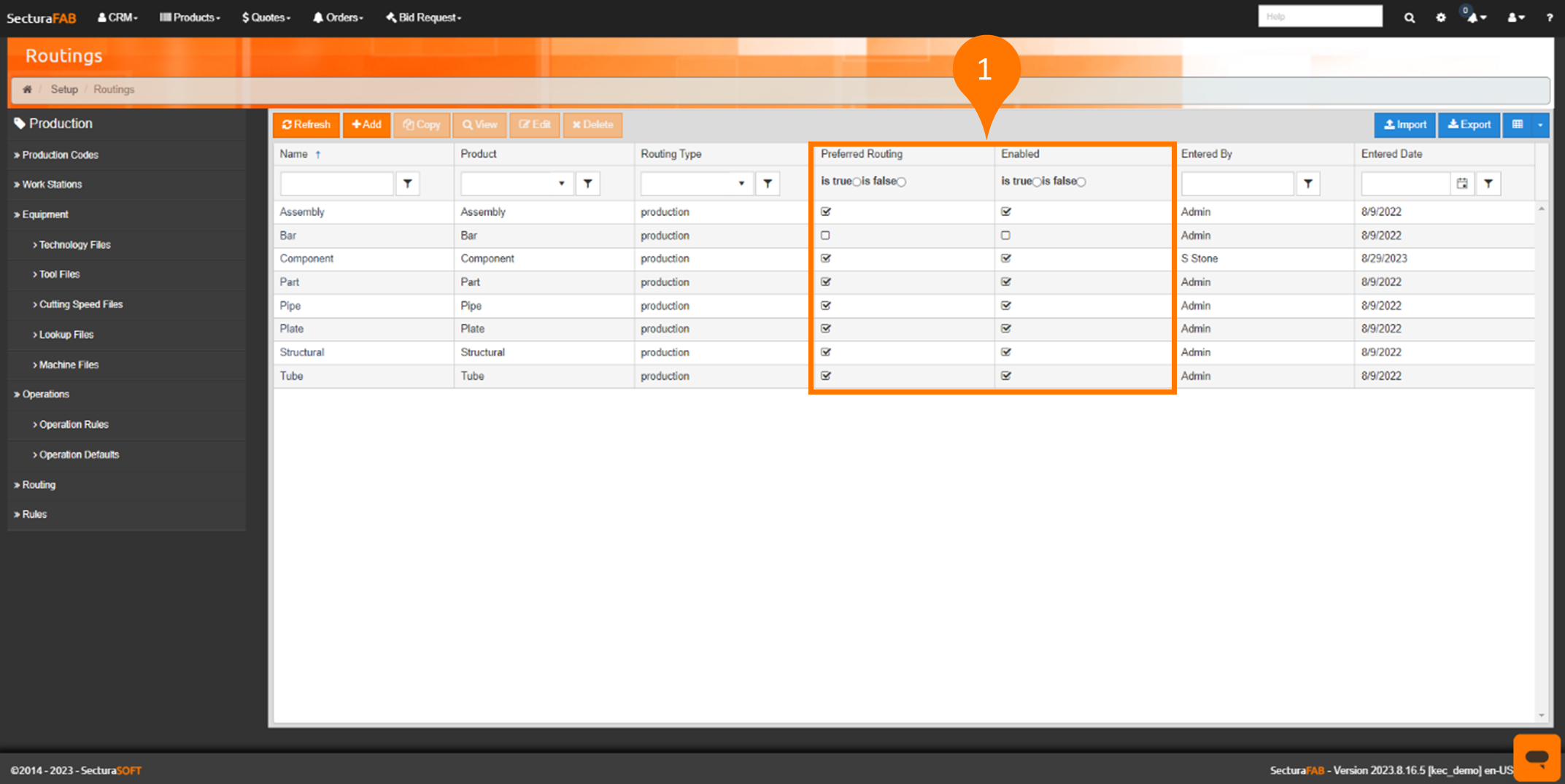
2. View which preferred routing type is enabled or disabled.
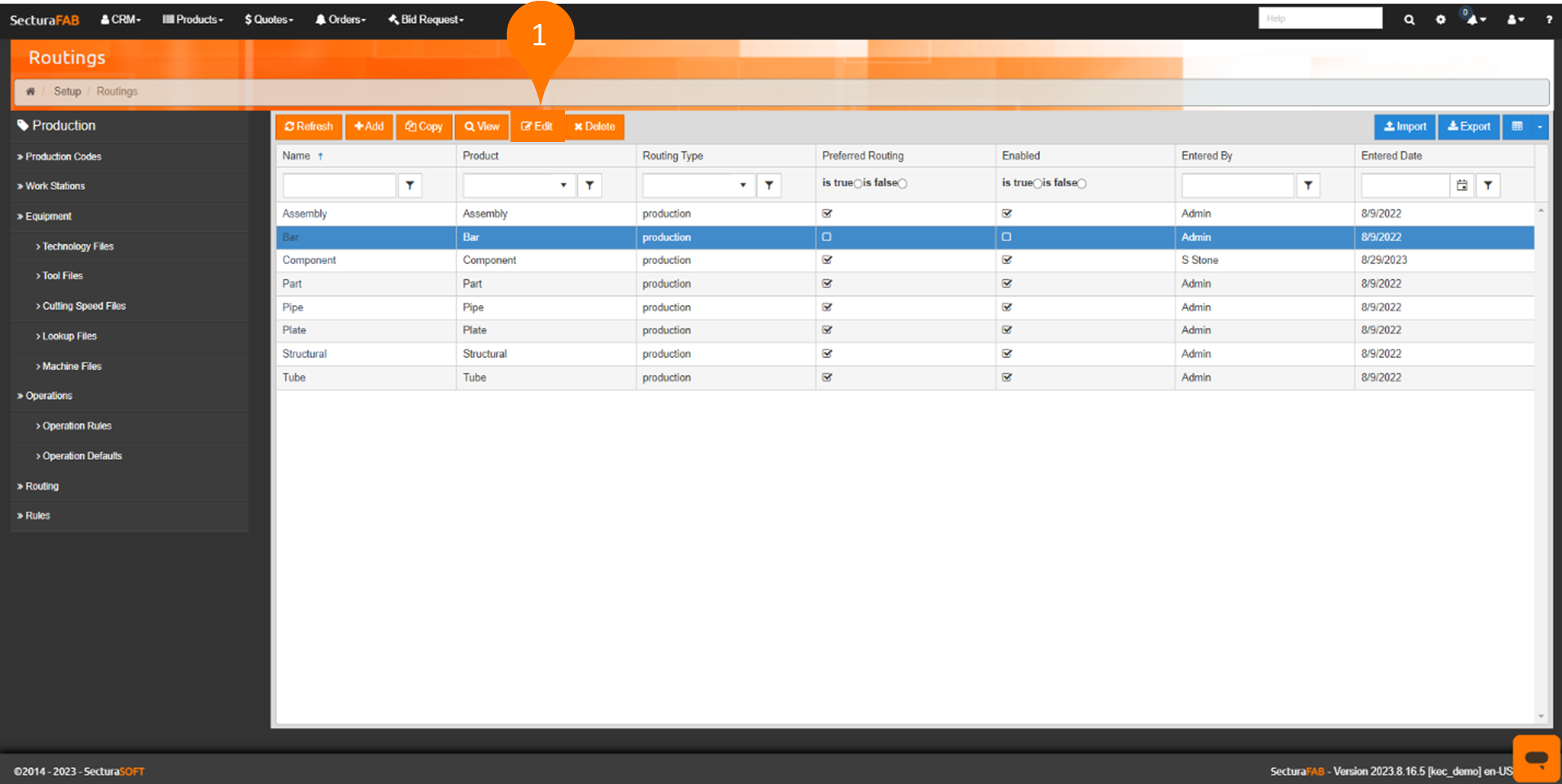
3. Select "Edit."
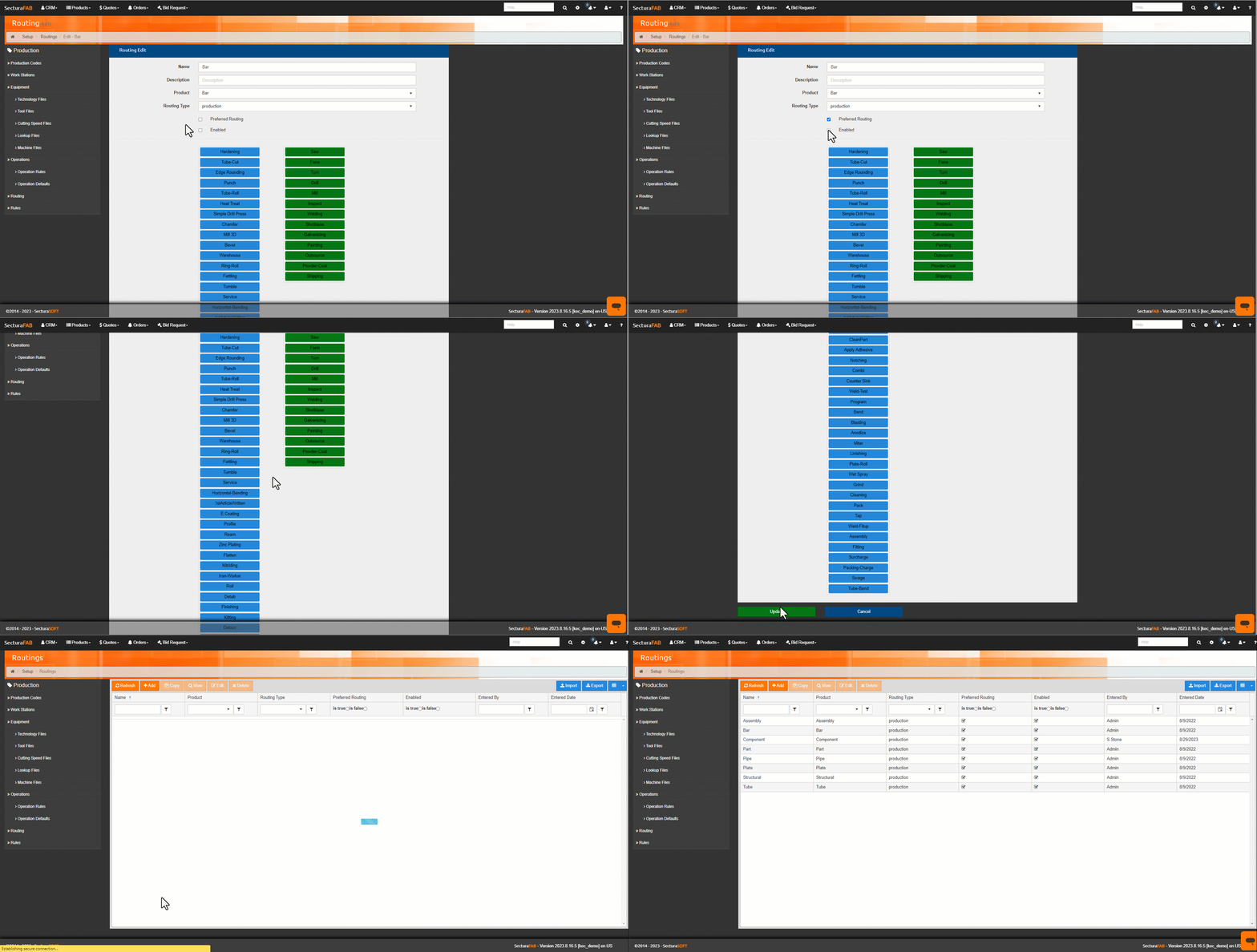
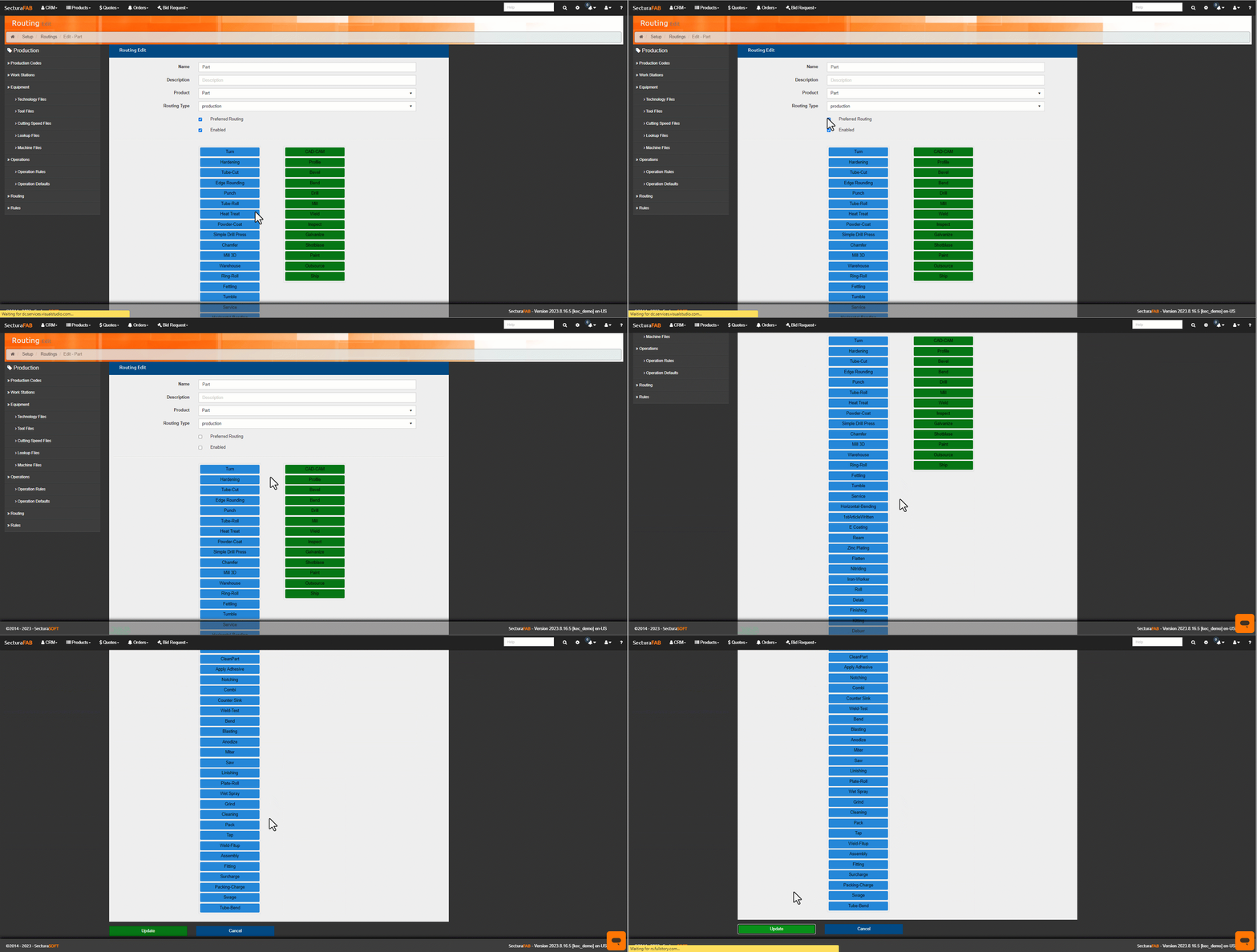
4. Select "Preferred Routing" and "Enabled" to activate the preferred routing. Select "Update" to confirm.
Disable Preferred Routing
1. Select "Edit."
2. De-select "Preferred Routing" and "Enabled" to deactivate the preferred routing. Select "Update" to confirm.
Related to