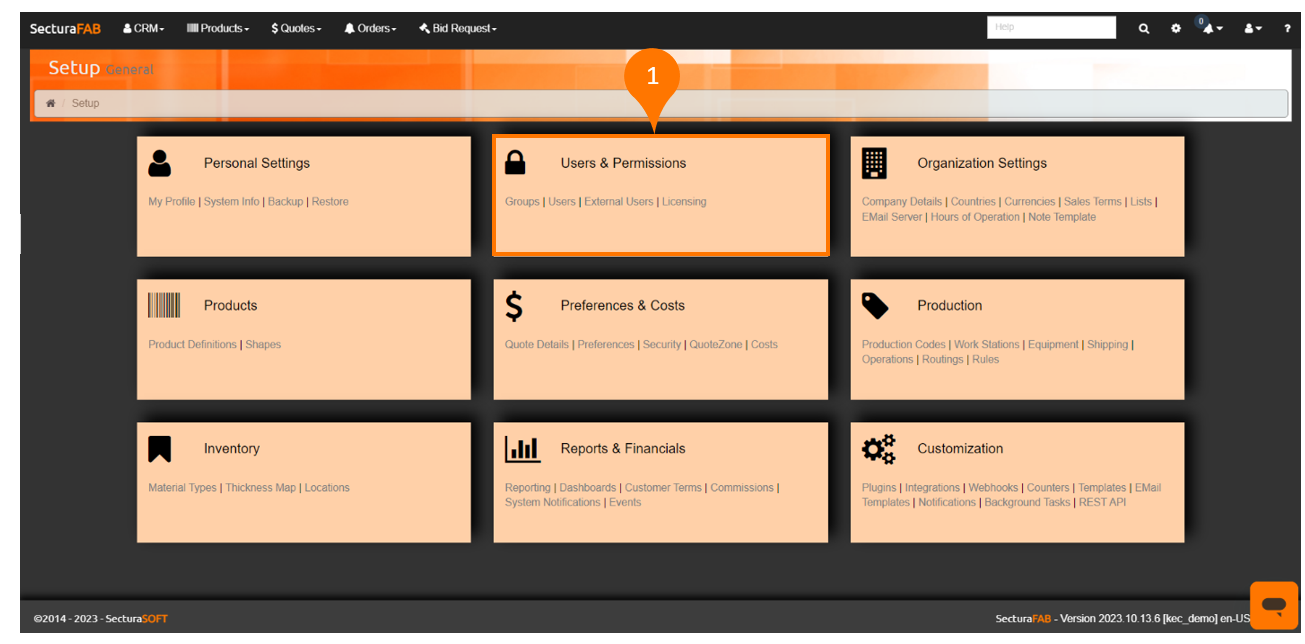
User permissions are the authorizations given to participants allowing them to access specific resources in SecturaFAB.
Note: Only “Admin” user groups can add or change user permissions.
Before getting started:
Let’s discover how.
- Navigate to “Users & Permissions” within the SecturaFAB settings menu.
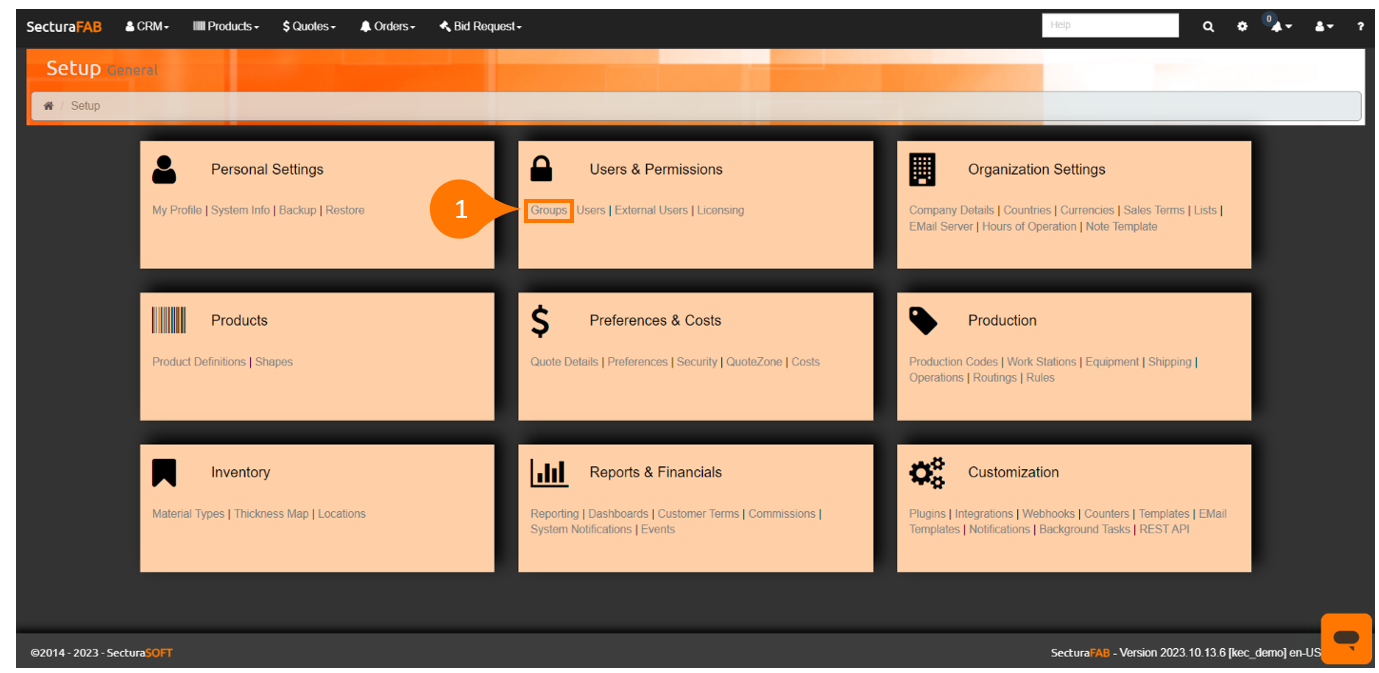
2. Select "Groups."
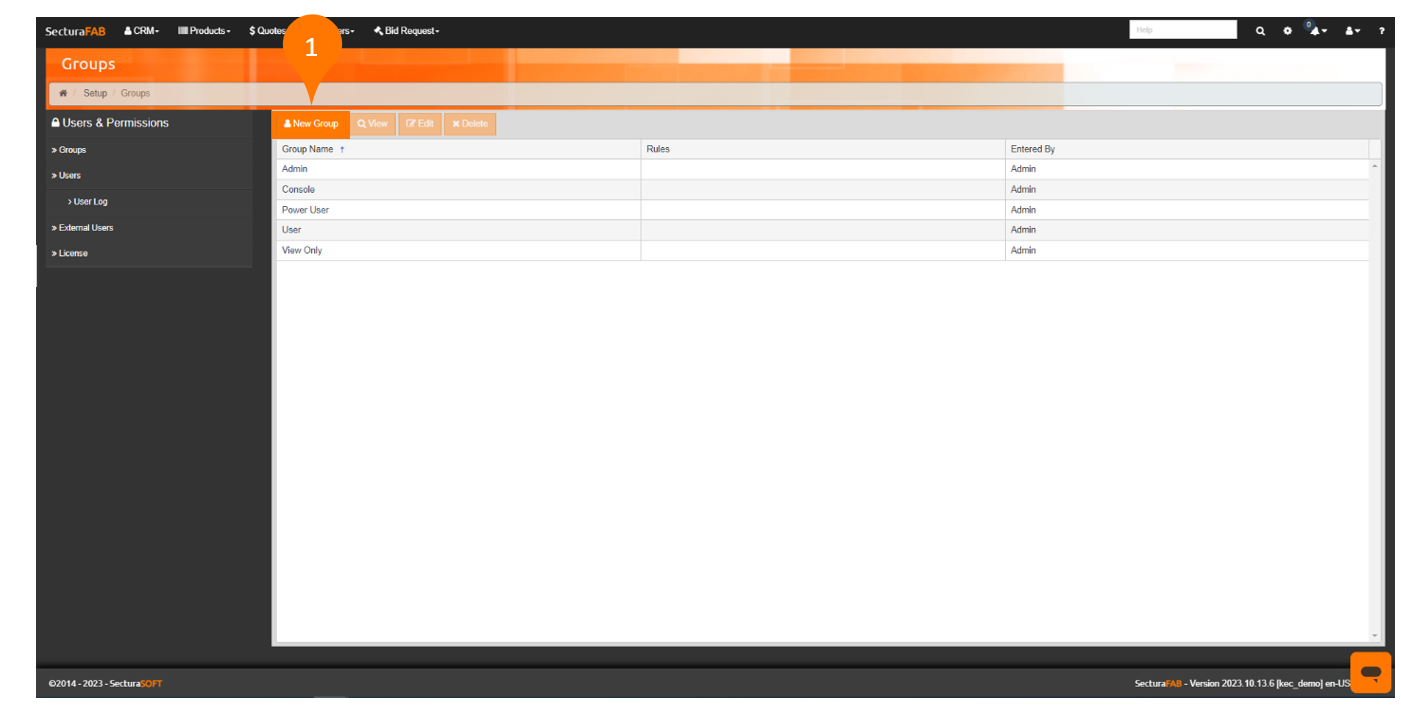
Users of SecturaFAB are assigned a group, allowing you to direct user access. This is the first step to adjust user permission.
Groups are default into the following:
- Admin: Unrestricted access to SecturaFSAB.
- Console: Able to access only your SecturaFAB Consoles.
- Power User: Able to access all settings in SecturaFAB.
- Quote User: Able to access all quoting features of SecturaFAB.
- View Only: Able to only view SecturaFAB.
Now, let's create a new group.
1. Select "New Group."
2. In this example, this group will be named “Sales Department.” Learn more about rules in our knowledge base.
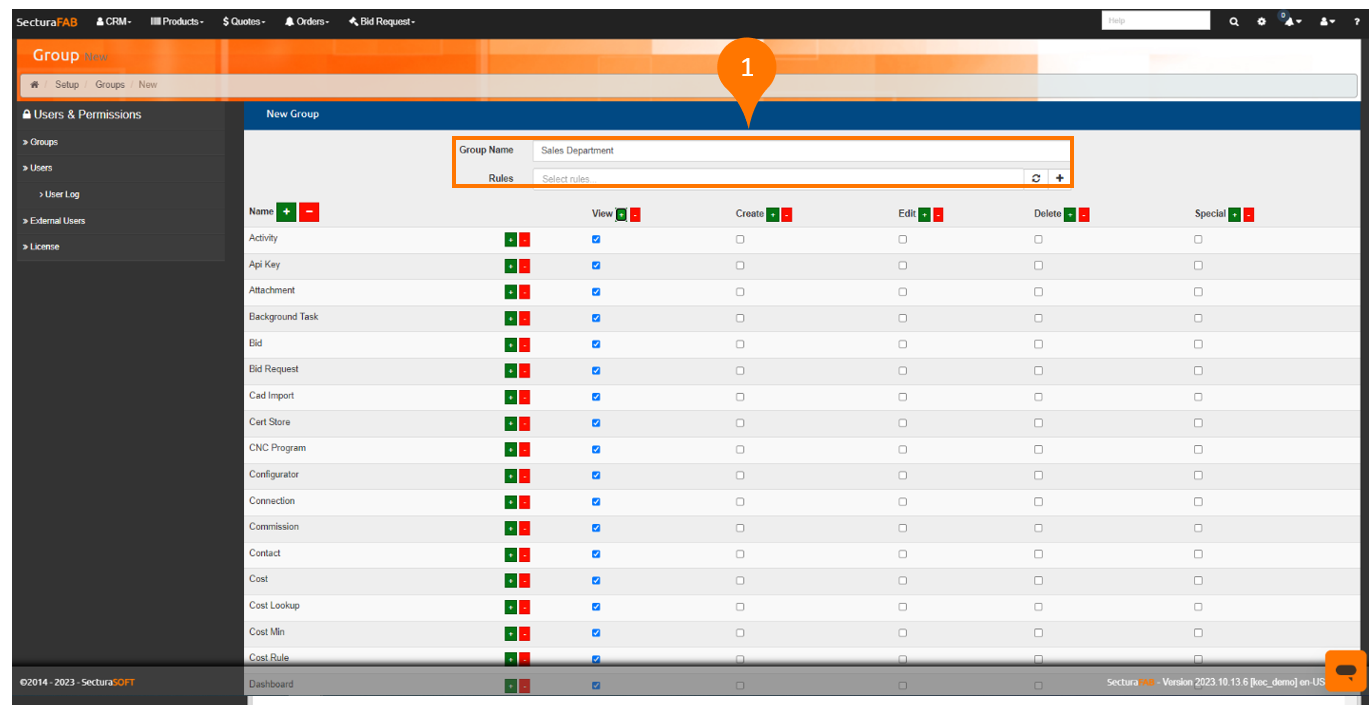
3. Actions include:
- Name — The name of the permission.
- View — The user can view content.
- Create — The user can create content.
- Edit — The user can edit existing content.
- Delete — The user can delete content.
- Special — The user can import or export content.
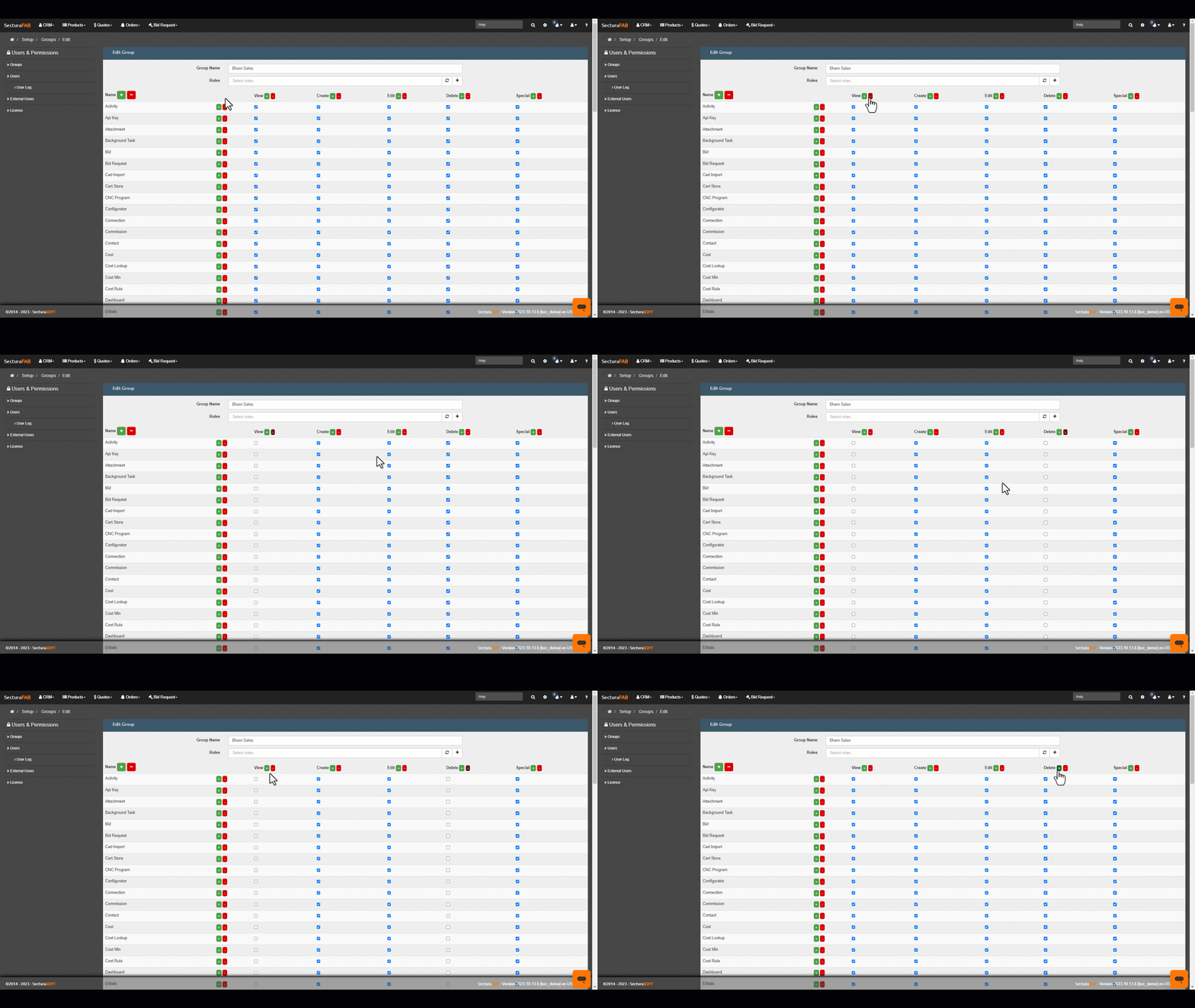
4. Select the “plus” sign to add permissions to a group or select the “minus” sign to remove permissions.
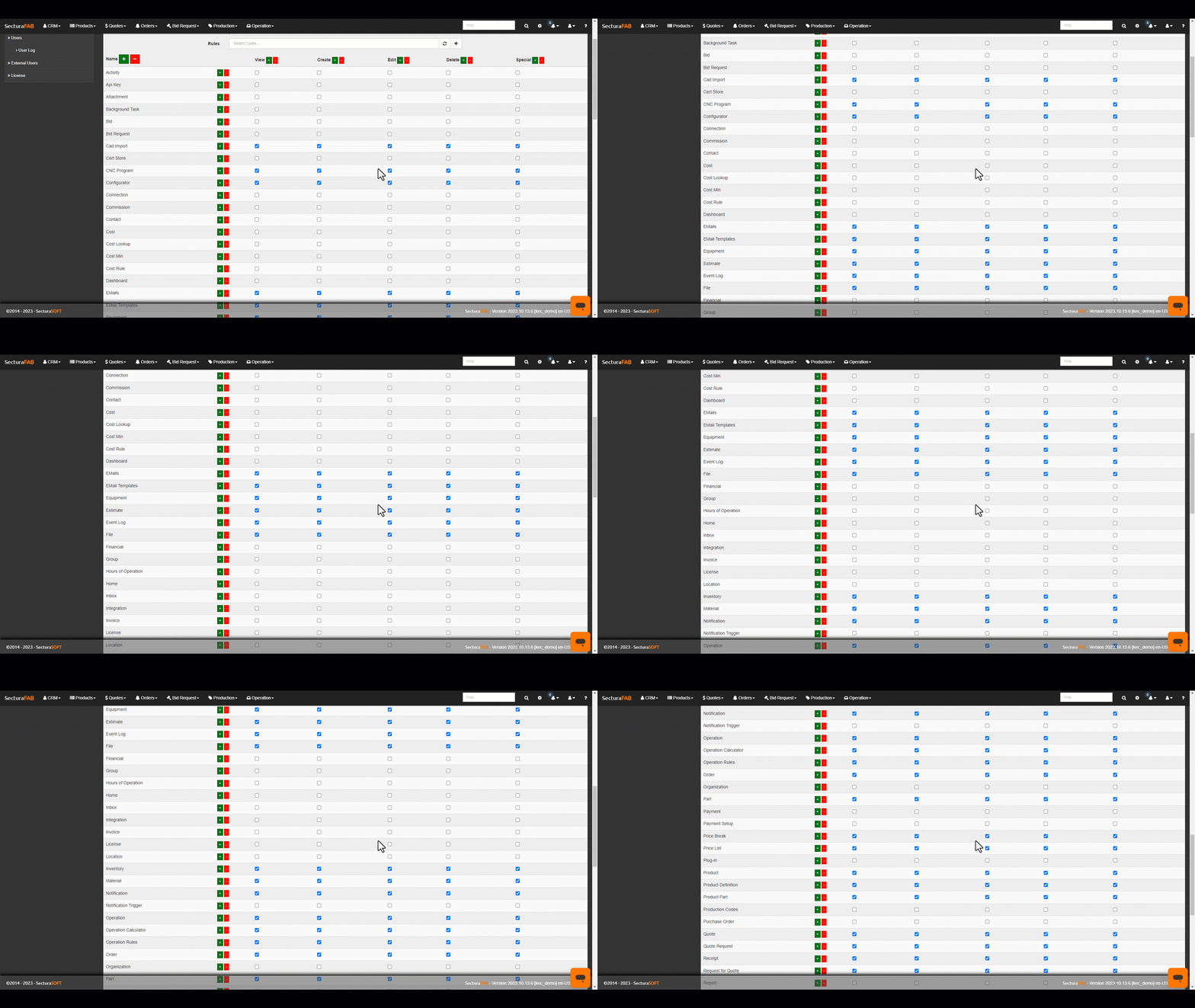
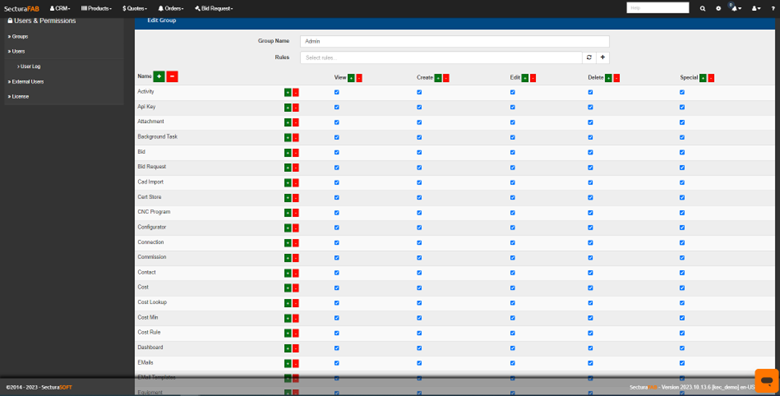
Let's check out the permission settings for a SecturaFAB administrator.
Now, let’s explore an example of how a sales user permission could look.
1. In this example the permissions include:
-
- CAD Import
- CNC Program
- Configurator
- Emails
- Email Templates
- Equipment
- Estimate
- Event Log
- File
- Inventory
- Material
- Notification
- Operation
- Operation Calculator
- Operation Rules
- Order
- Part
- Price Break
- Price List
- Product
- Product Definition
- Product Part
- Quote
- Quote request
- Request for Quote
- Receipt