
We’ve heard from many customers that they often find themselves double- and triple-checking the same line items before sending a quote, just to be sure everything is correct. To reduce rework and save time, we've introduced a new feature based on direct customer feedback: Mark As Completed.
What's New?
Users can now mark individual line items as complete—effectively "locking" them.
- Once locked, all fields within the line item become disabled, preventing accidental edits or typos.
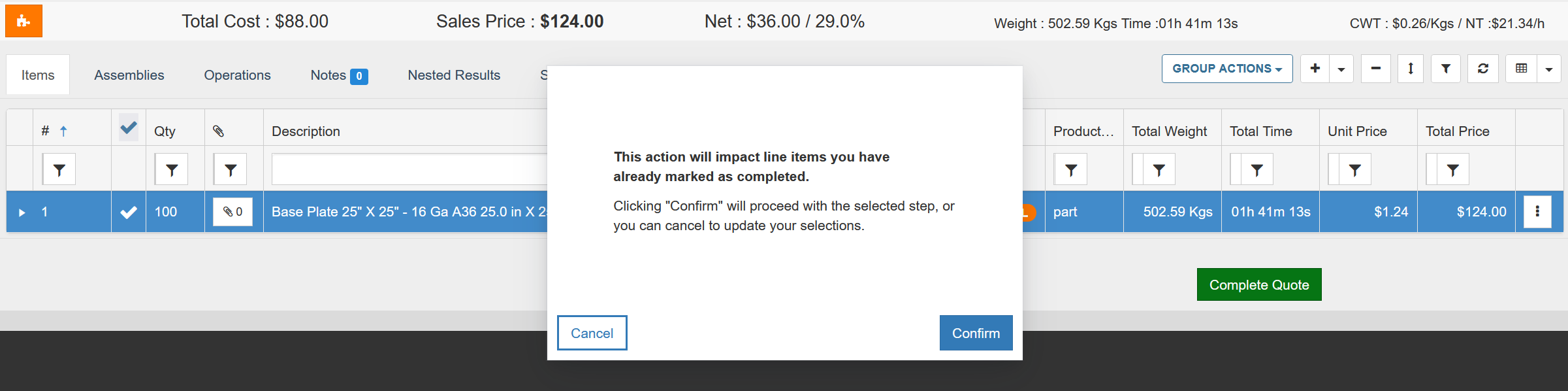
- If you attempt an action that would affect the locked line item’s pricing—such as multi-part nesting, group actions, or changes to the customer or quote margins—a confirmation popup will appear.
- Selecting “Confirm” will unlock the item and apply the change.
- Selecting “Cancel” will preserve the locked state and prevent any updates.
How It Works
- By default, new line items are unlocked and fully editable.
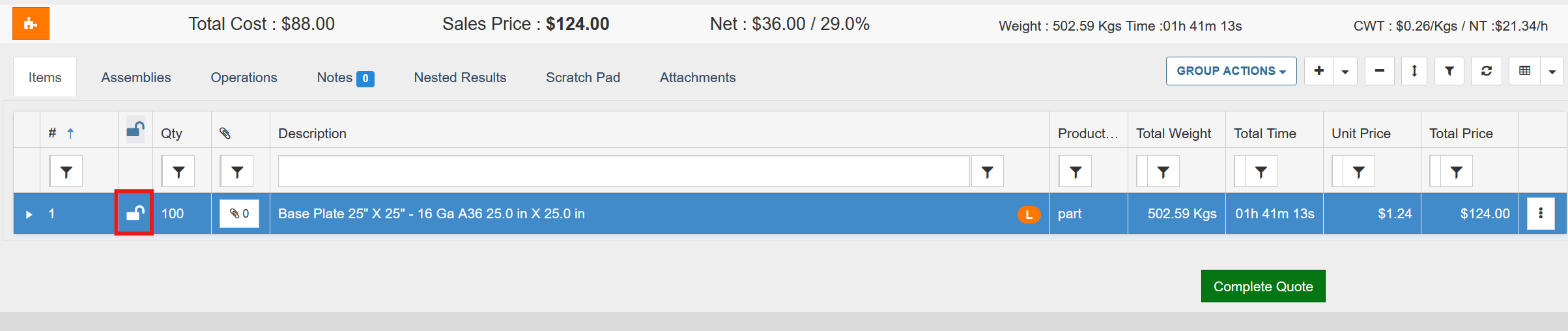
- Once reviewed, simply click the lock icon to finalize the line item’s price and protect it from further modifications.
- If a change is attempted via Group Actions or Nesting, a warning prompt will appear.
- Confirming the action will unlock and apply changes.
- Cancelling the action will leave the item unchanged and locked.
Top level quote parameters [including organization settings, margins, shipping and tax] can impact the price of your line item. It is recommended that these are established prior to locking any of your line items. As a result, if these settings change, line items impacted will unlock and apply changes.

This enhancement ensures greater control and confidence when preparing quotes—so you can move faster with fewer errors.
Related to