
Discover the different nesting options in SecturaFAB. By using the various nesting options, you can control the leftover material during nesting and save on material costs.
Keep Remnant Percentage (Vertical)
Keep Remnant Percentage (Horizontal)
Nesting Options
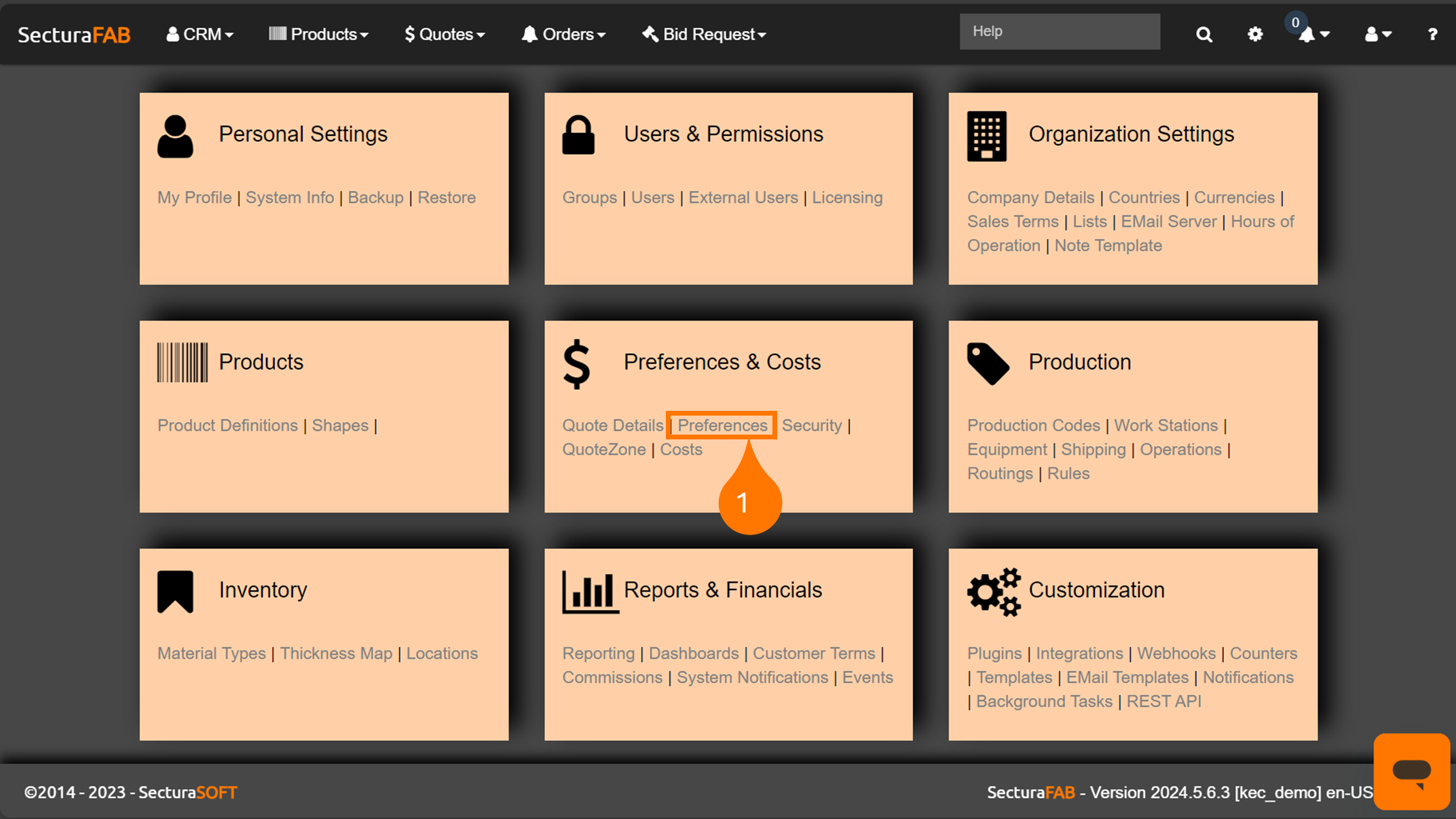
Select “Preferences” within the “Preferences and Costs” settings.
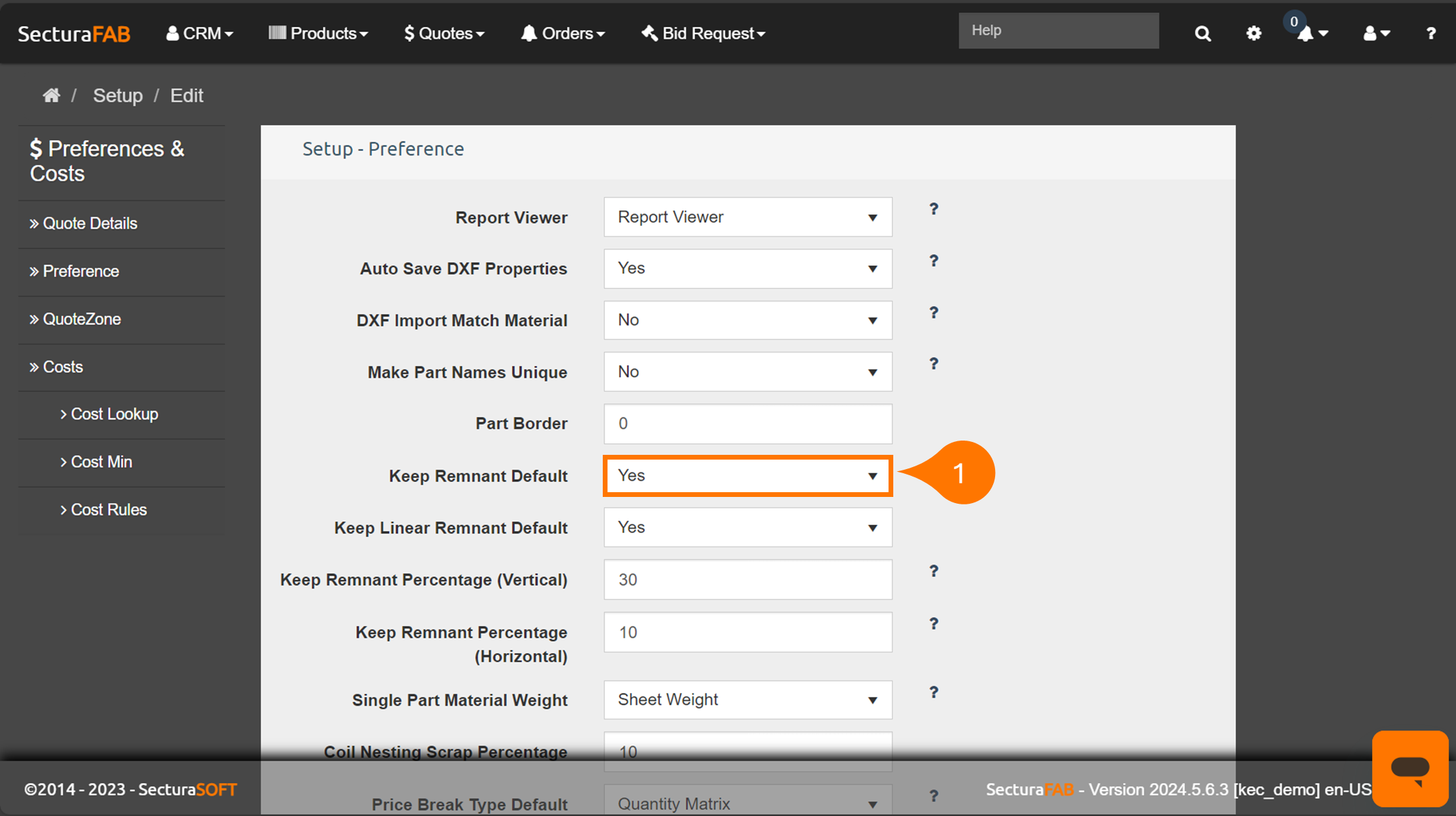
Keep Remnant Default
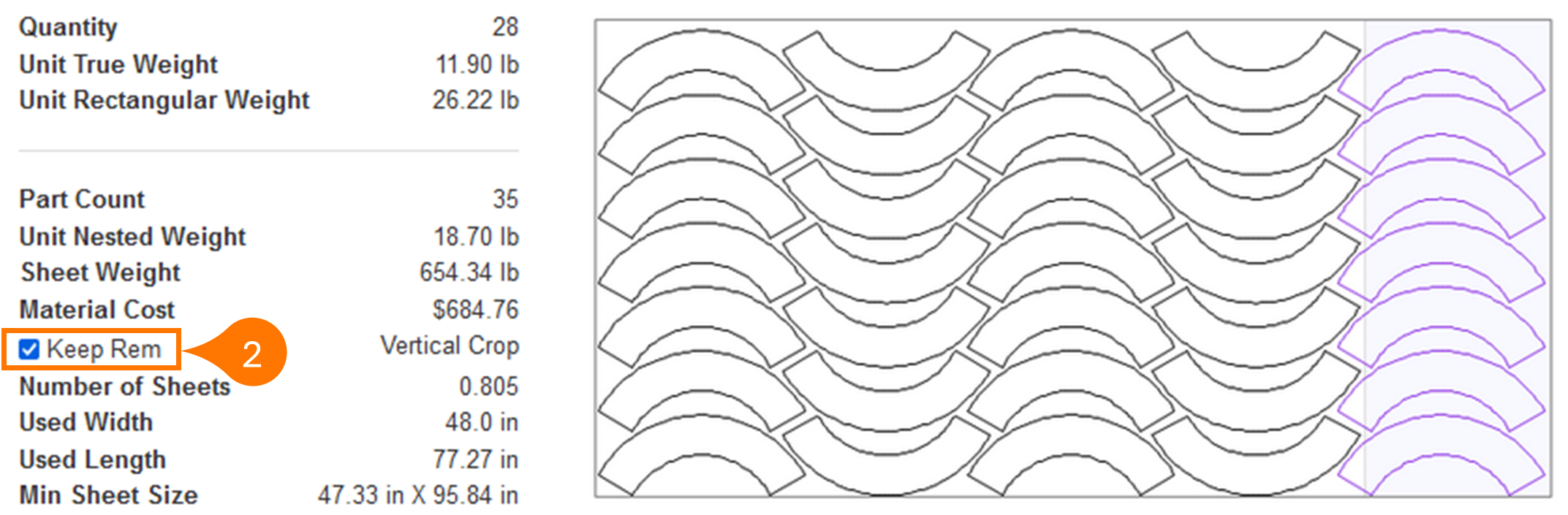
Keep Remnant Percentage (Vertical)
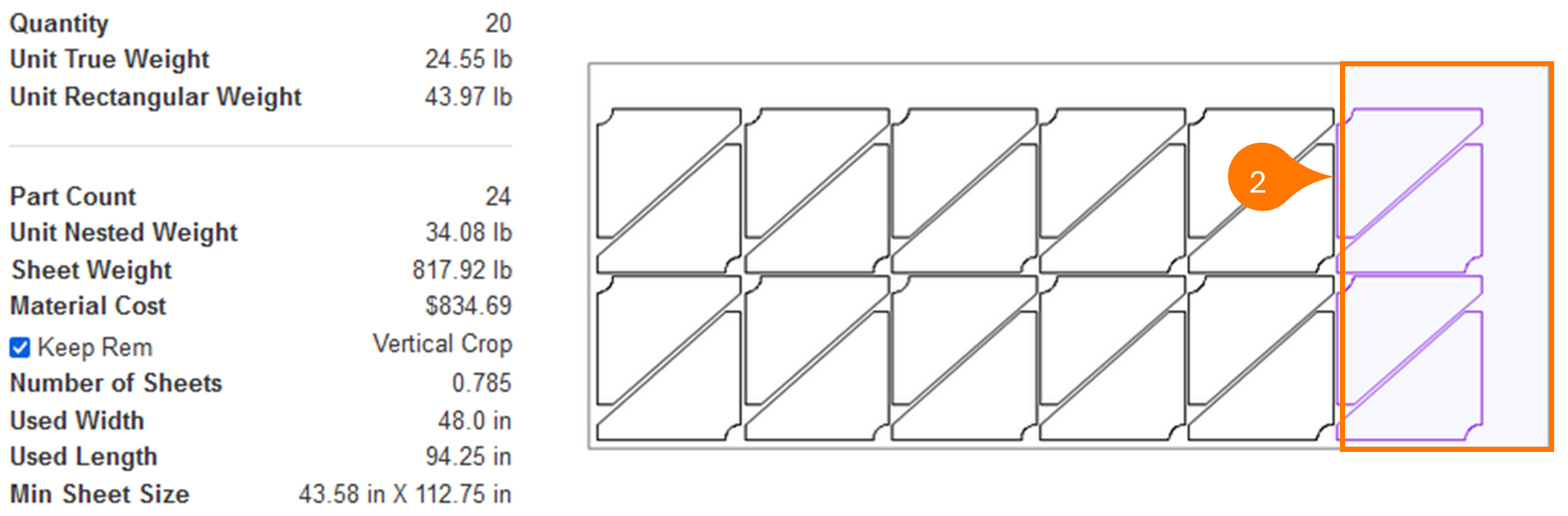
Go to “Keep Remnant Percentage (Vertical)” and set the default rule for adding a vertical crop line for a nested sheet (in this example the value of 30 is used). If the material usage is greater than this value, a vertical crop line will be applied to the sheet.
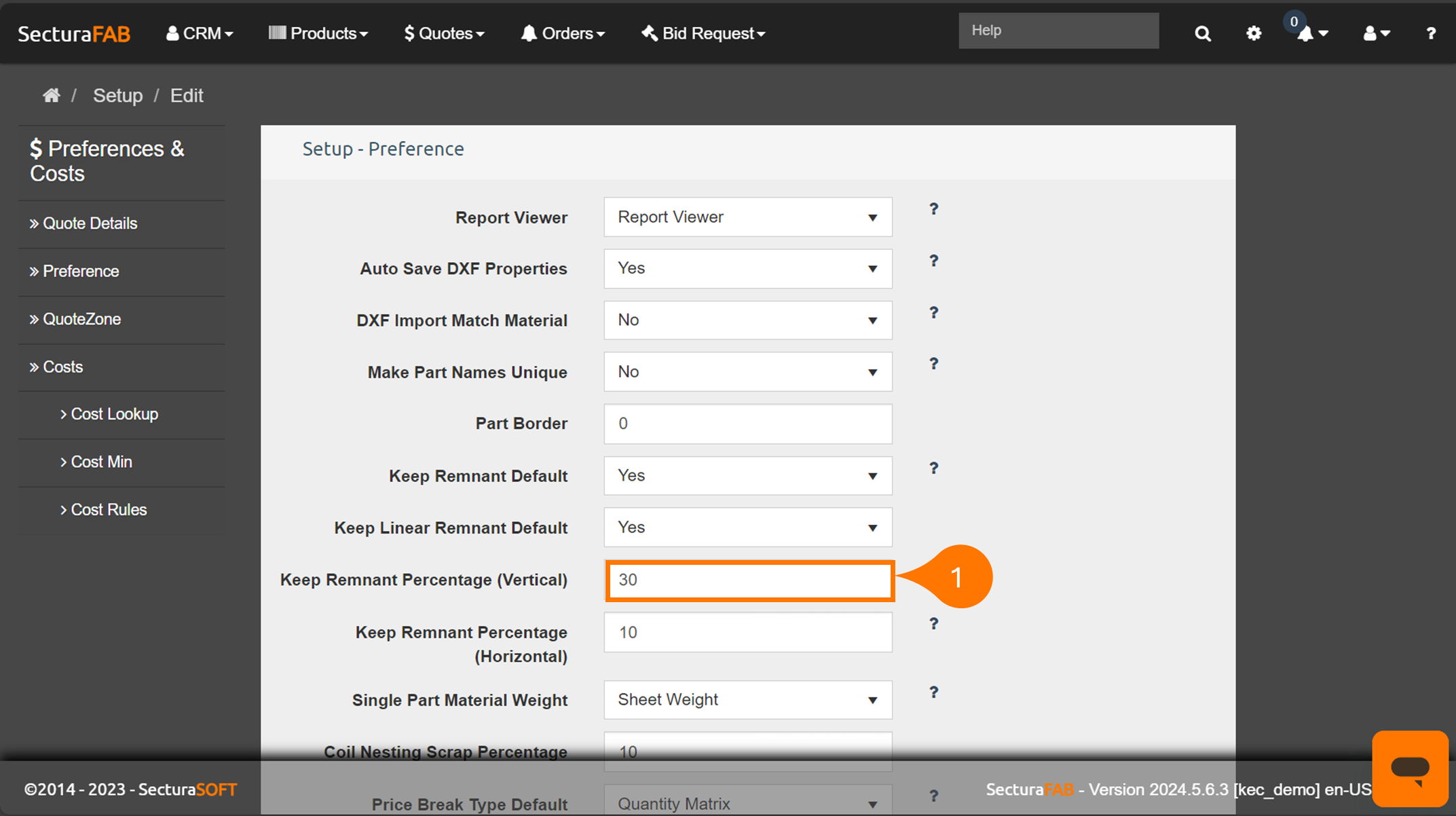
Keep Remnant Percentage (Horizontal)
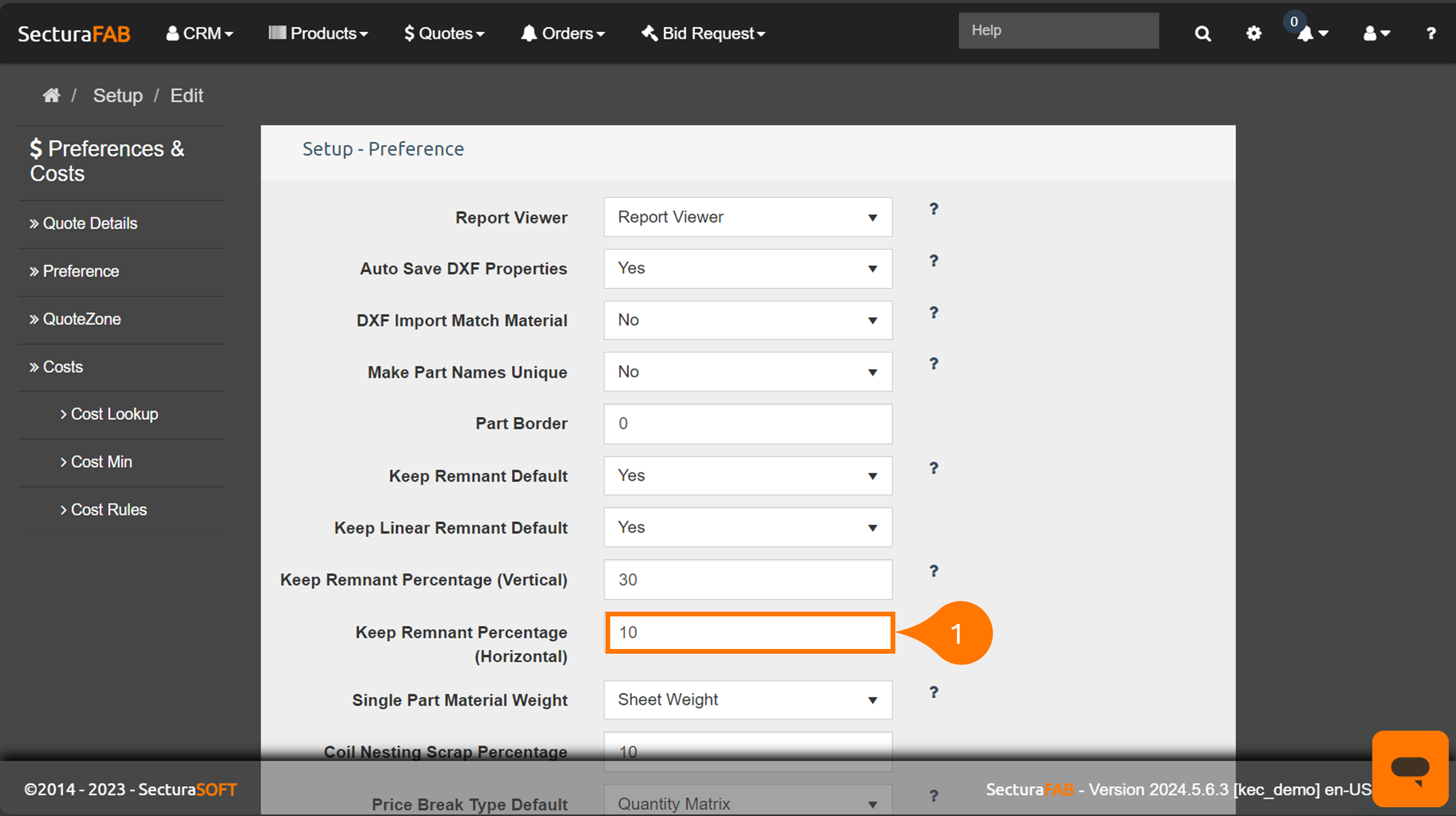
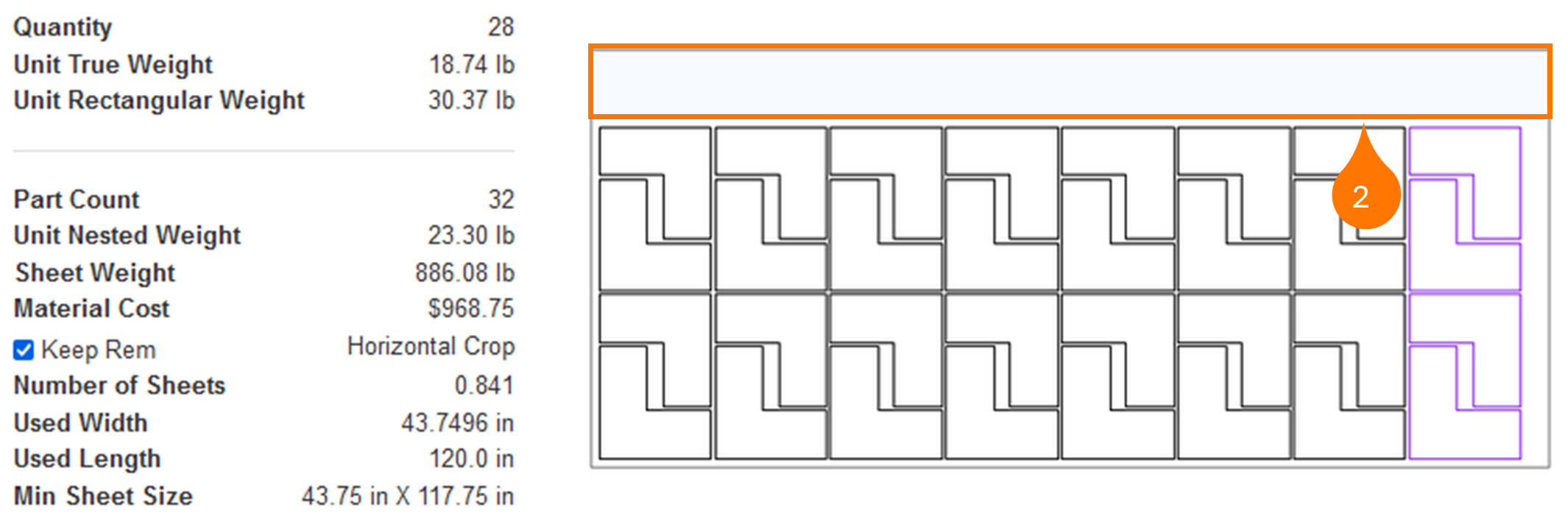
Go to “Keep Remnant Percentage (Horizontal)” and set the default rule for adding a horizontal crop line for a nested sheet (in this example the value 10 is used). If the material usage is greater than this value, a horizontal crop line will be applied to the sheet.
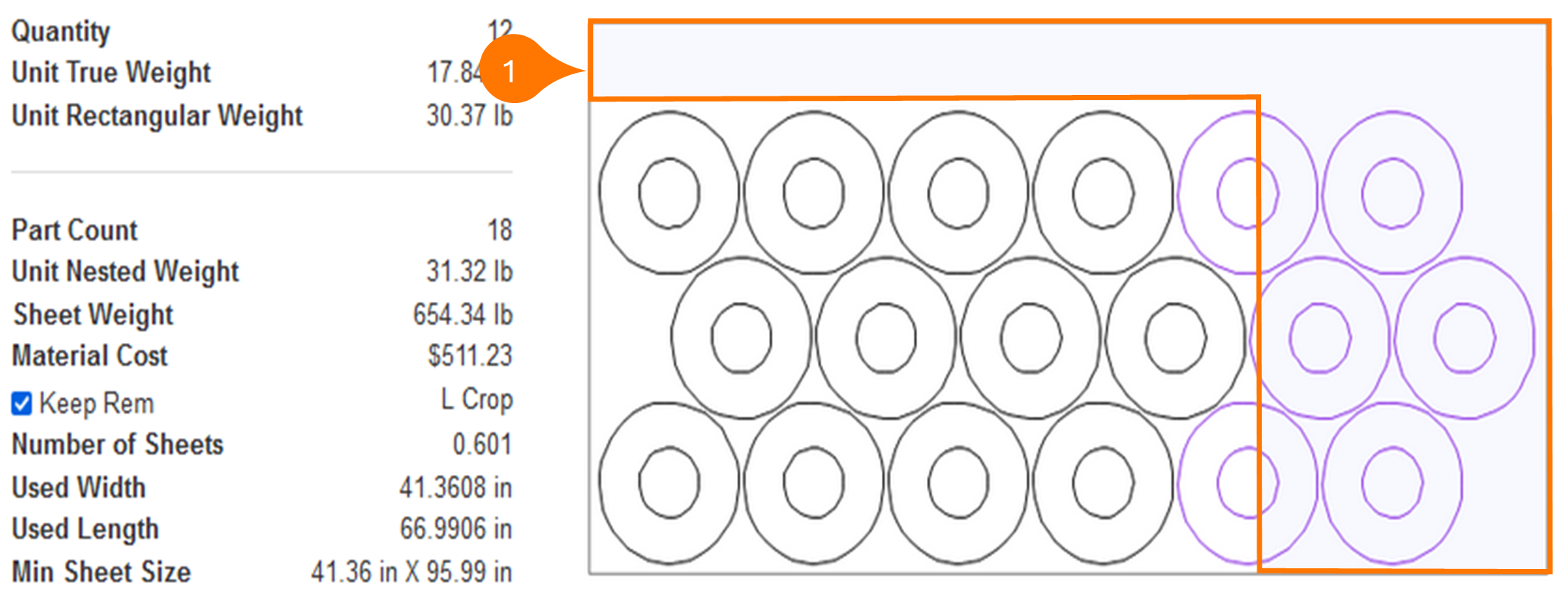
*If both the vertical and horizontal rules are valid, a “L-Crop” will be applied.
Now you know the different options for remnants when nesting!