
Do you want to know how cost is calculated in SecturaFAB? Do you need to setup a price model? Explore this guide to understand how material and operation costs calculate based on your customizations.
How does SecturaFAB calculate how much I charge for material per part?
Cost
Select "Costs" from the Preferences and Costs settings.
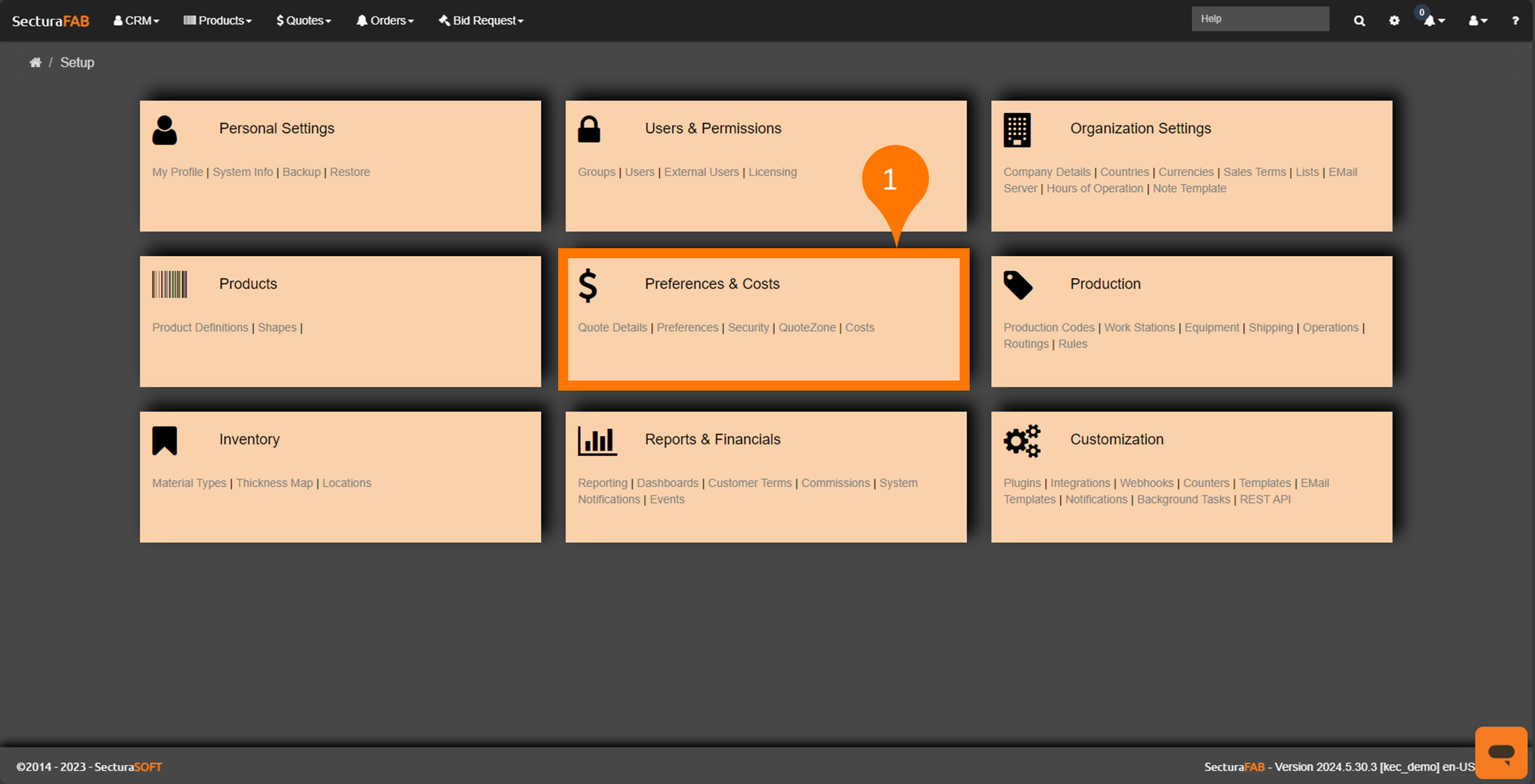

The Cost screen allows you to manage all your material and operation costs in one location.
Each operation and material is linked to a cost.
Costs can be added directly to SecturaFAB by manually importing a CSV file or using the API with an integration to an ERP system.
Add Costs
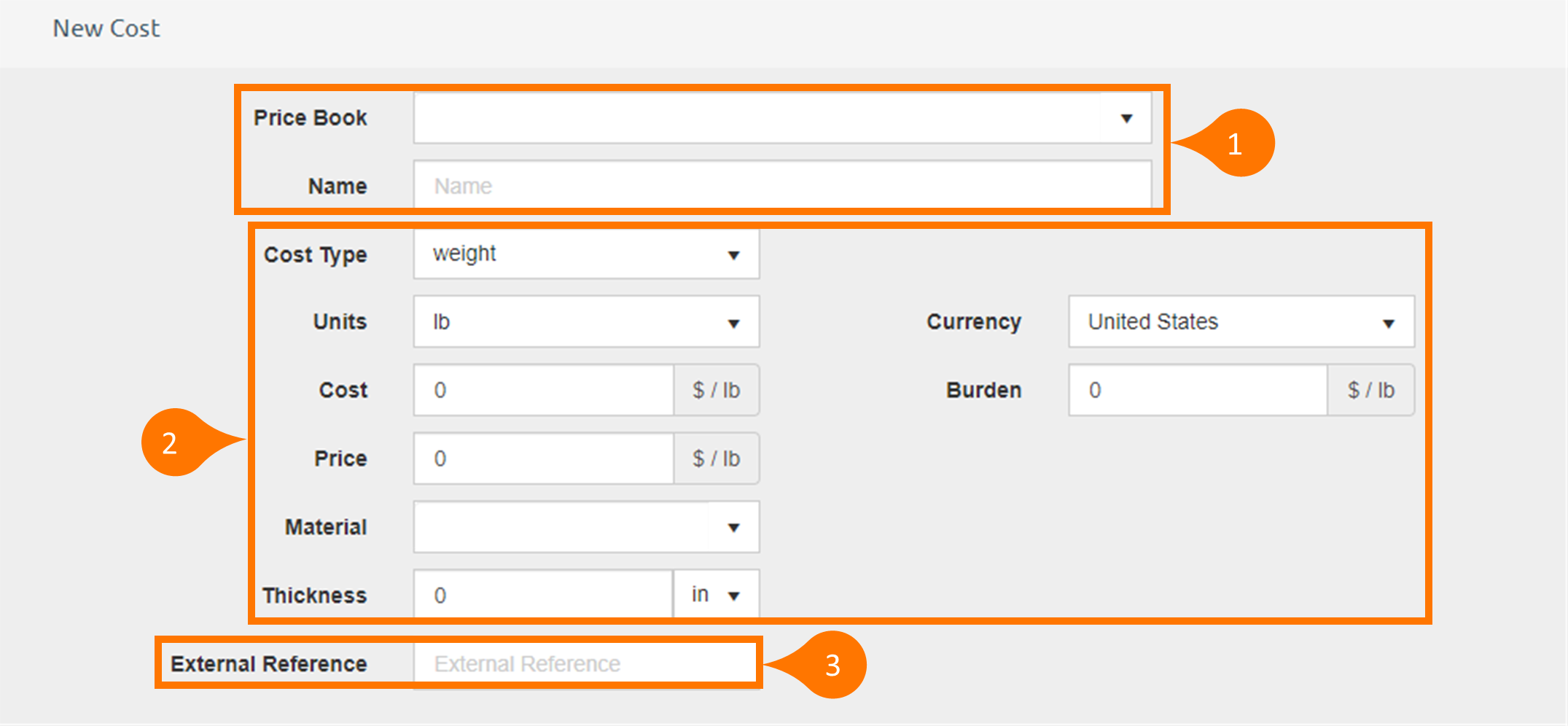
* Required fields to accurately complete adding a cost
1. Price Book: The price book is assigned to the cost. You can select an existing price book or type in a new price book name to create a new price book. This is not a necessary step.
Name: Name of the cost record.
2. Cost Type: Choose one of the following cost types from the dropdown menu:
Weight Cost
Time Cost
Length Cost
Area Cost
Volume Cost
Fixed Cost
Distance
Per Unit Cost
Other
Units: Units of the cost. This will change depending on the Cost Type.
Currency: Currency of the cost.
Burden: Burden portion of the cost.
*Cost: The cost value
Note: The Cost and the Burden are added together to get the effective cost value. The fields for Cost, Price, and Burden can be left blank. The value will default to zero.
*Price: Price or rate.
Material: Material Grade or Material Group.
Thickness: Material Thickness and units.
Note: Material and thickness are only required when adding a material. Based on the material, the field for thickness can be left blank. The value will default to zero.
3. External Reference: Reference Number in ERP or Accounting system.
Working with Costs
Costs are mainly used for an operation cost or a material cost.
Operation Costs
When an operation is created, a cost category is assigned to the operation. Depending on the Cost Model and the Profit Model, the item’s operation cost will be calculated using the Effective Cost and/or the Rate of the cost.
Labor Rate
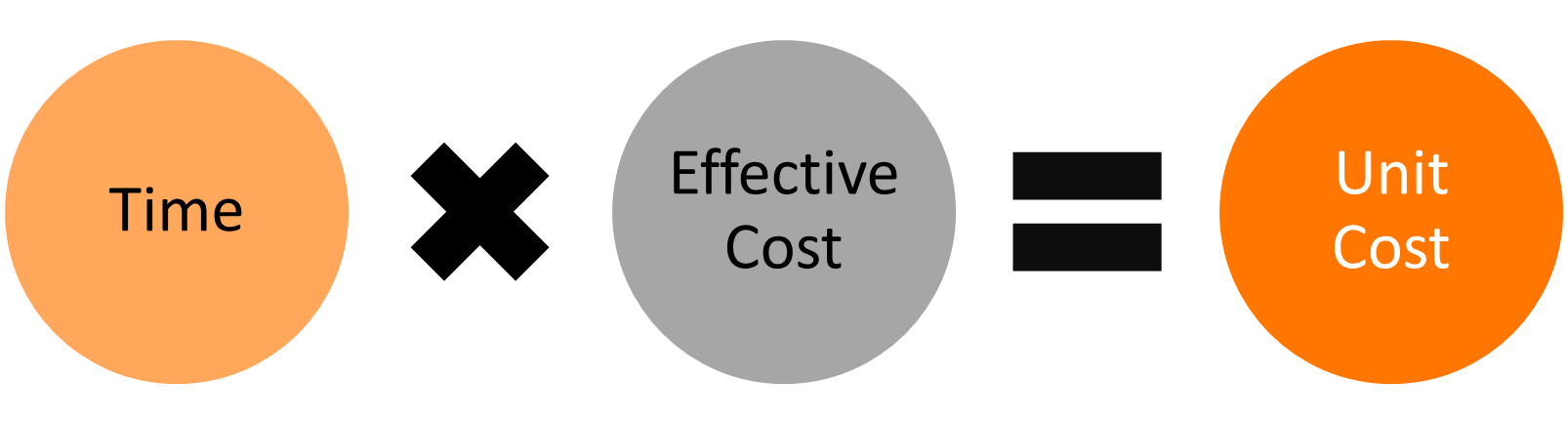
If the Cost Model is set to "Labor Rate" then the operation cost and price will be calculated as follows:
Time * Effective Cost = Unit Cost
and
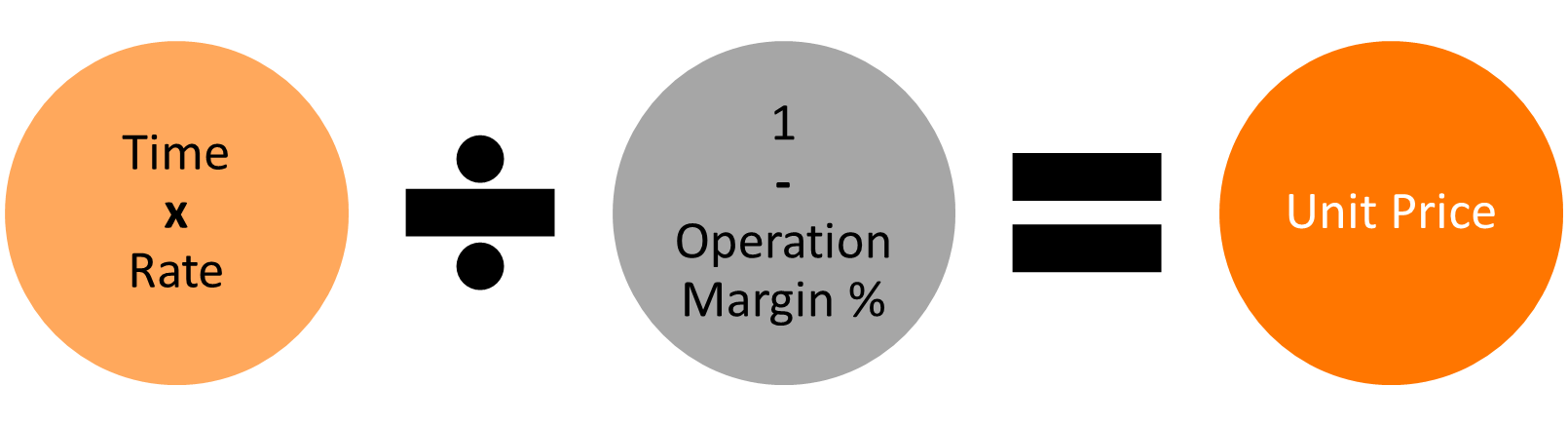
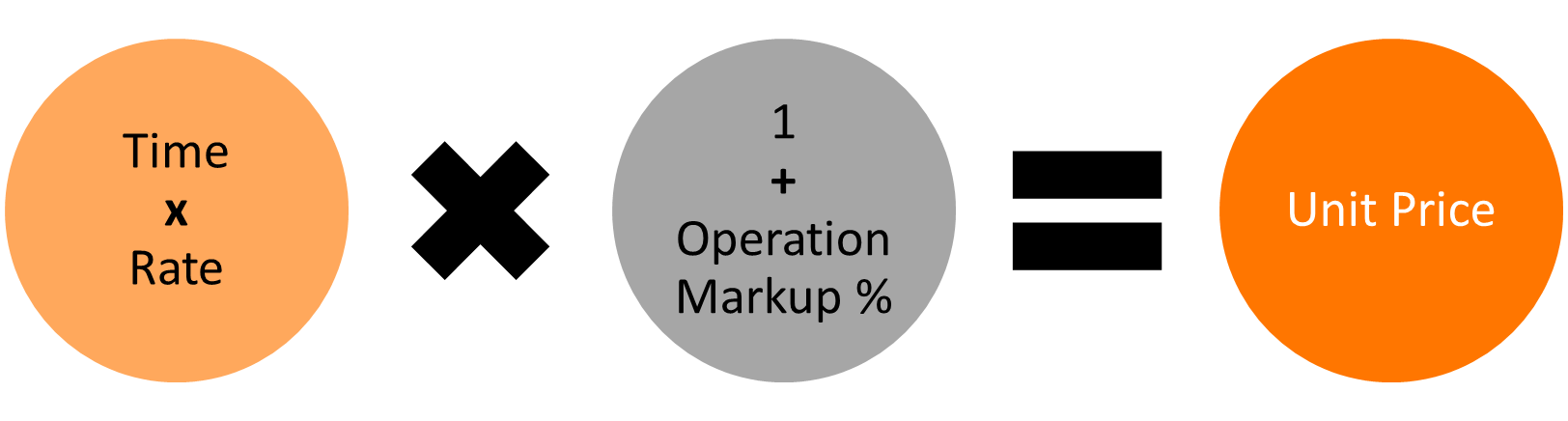
Time * Rate / (1 - Operation Margin%) = Unit Price
or
Time * Rate * (1 + Operation Markup%) = Unit Price
Cost with Margin
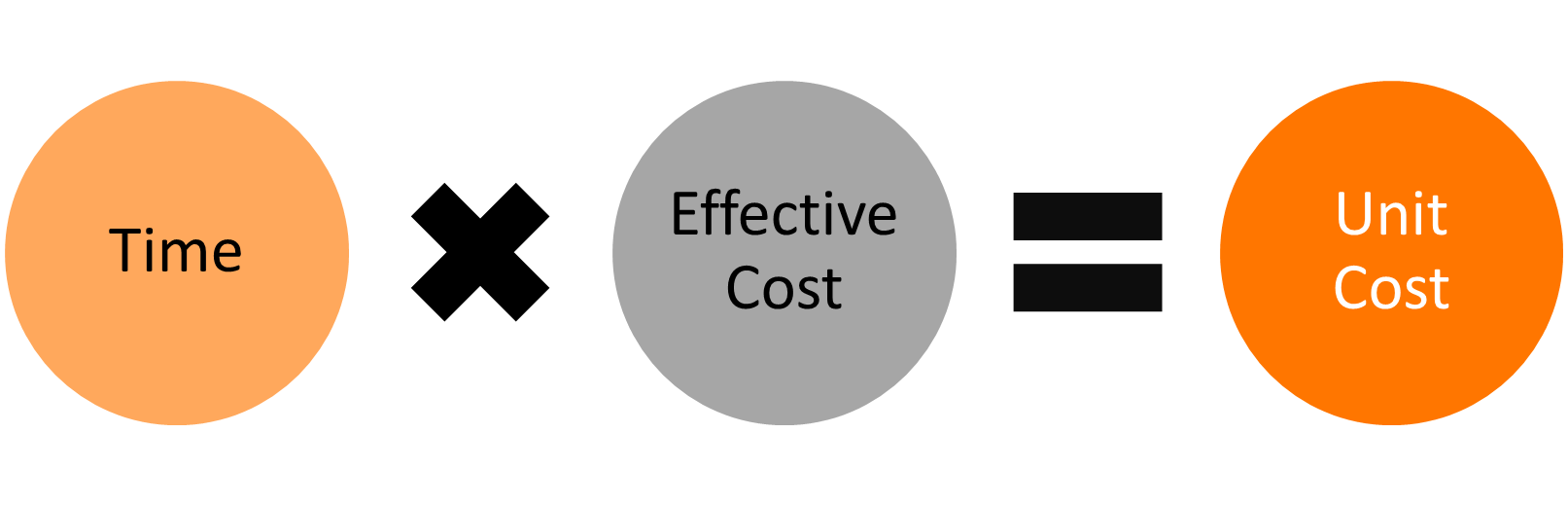
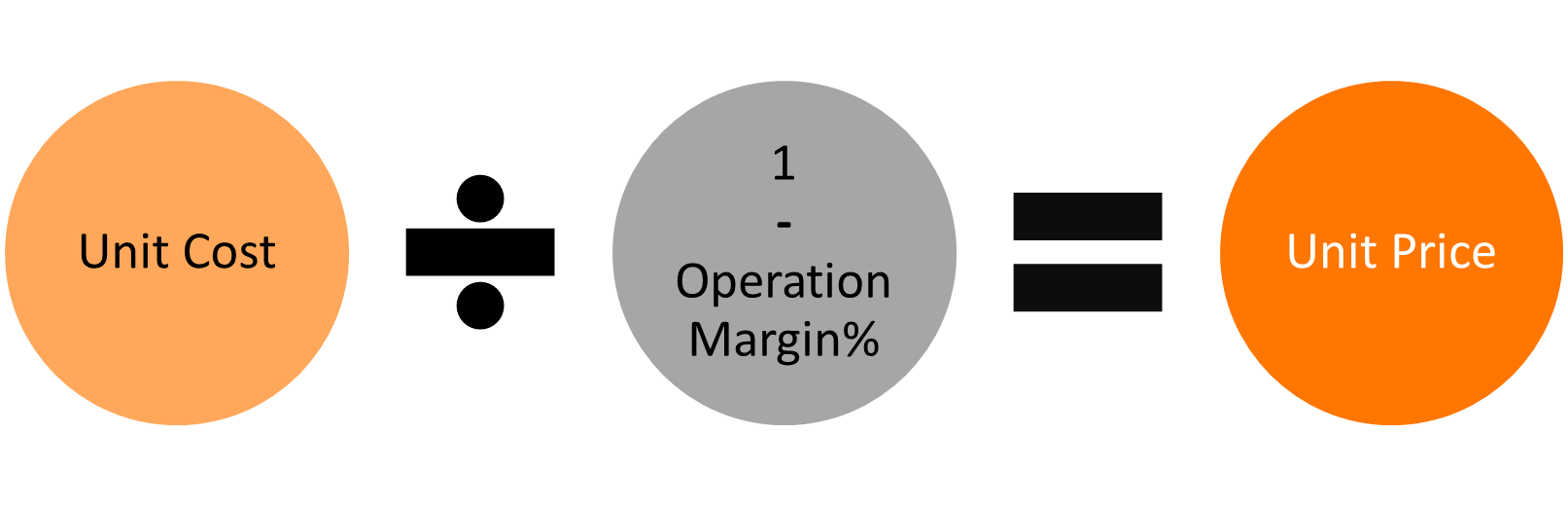
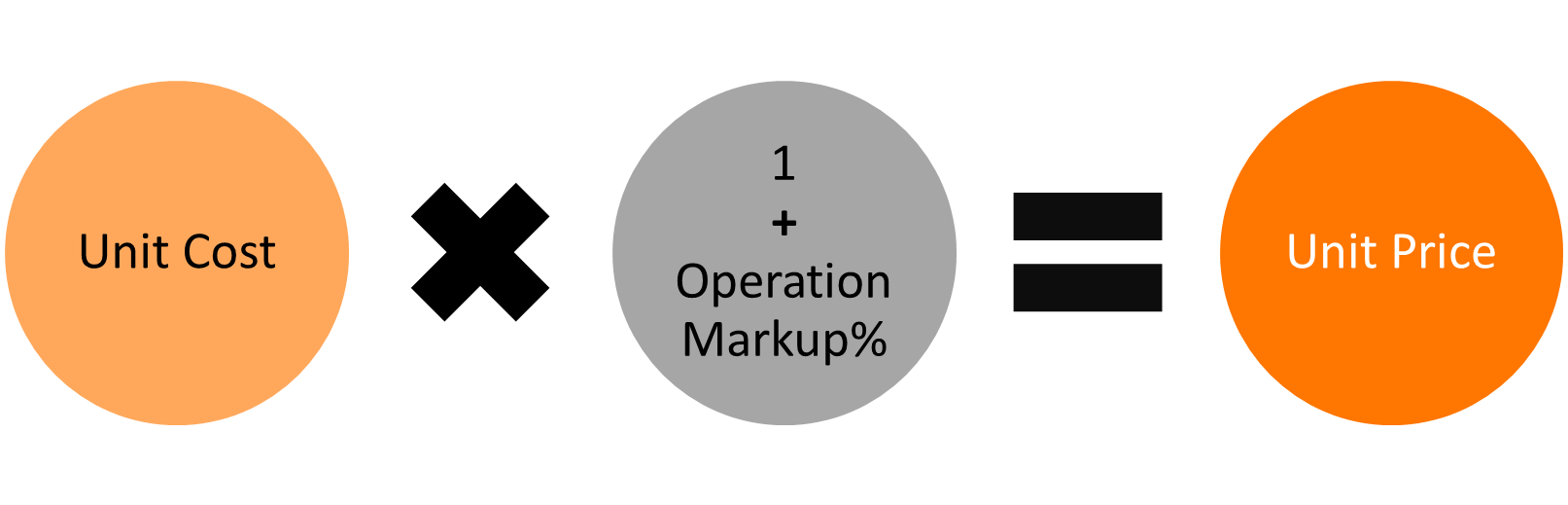
If the Cost Model is set to "Cost with Margin" then the cost and price will be calculated as follows (depending on the Profit Model ):
Unit Cost = Time * Effective Cost
and
Unit Cost / (1 - Operation Margin%) = Unit Price
or
Unit Cost * (1 + Operation Markup%) = Unit Price
Material Costs
Material Cost is a cost category that is selected for a Quote or Order item based on the material grade and thickness of the item.
When a line item is added to the quote, SecturaFAB will apply the relevant material cost according to the material grade and thickness. If no matching material grade is found, then SecturaFAB tries to find a match using the item's material group.
When matching material costs to line items, thickness will only be used if there are multiple cost calculators with the same material grade.
Note: If a plate product is assigned to the Quote or Order Item then and the Plate Product has a Cost Category, then that Cost Category of the plate will be used.
The material cost and price will be calculated as follows (depending on the Profit Model).
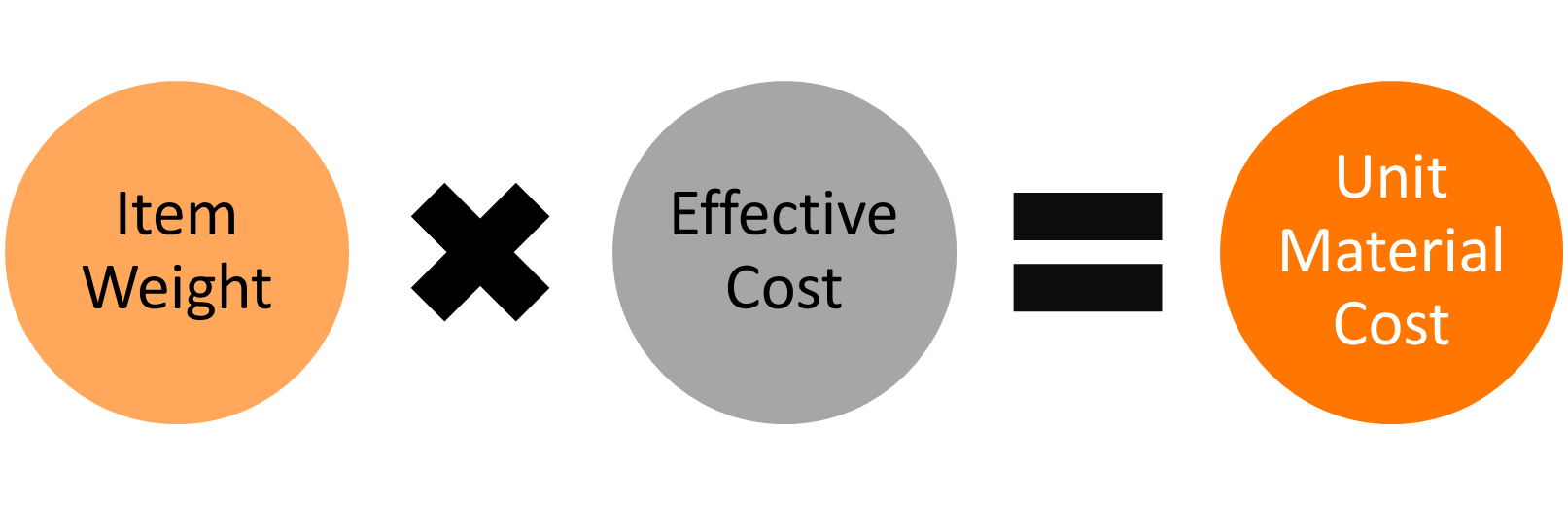
Item Weight * Effective Cost = Unit Material Cost
and
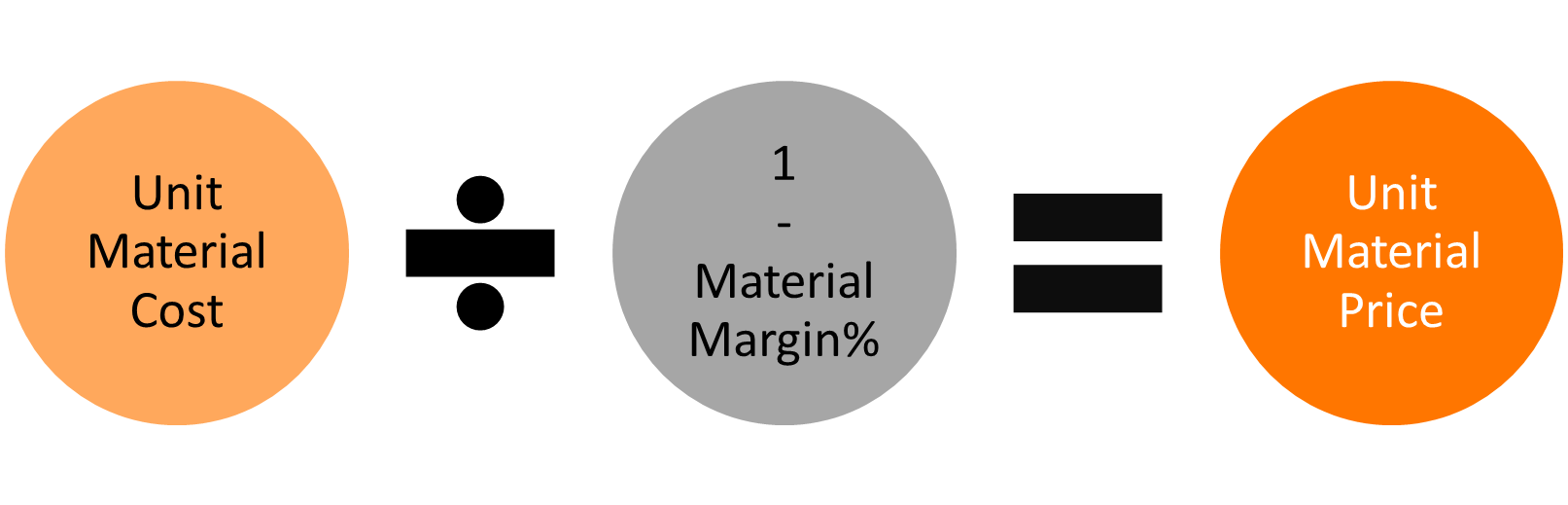
Unit Material Cost / (1- Material Margin %) = Unit Material Price
or
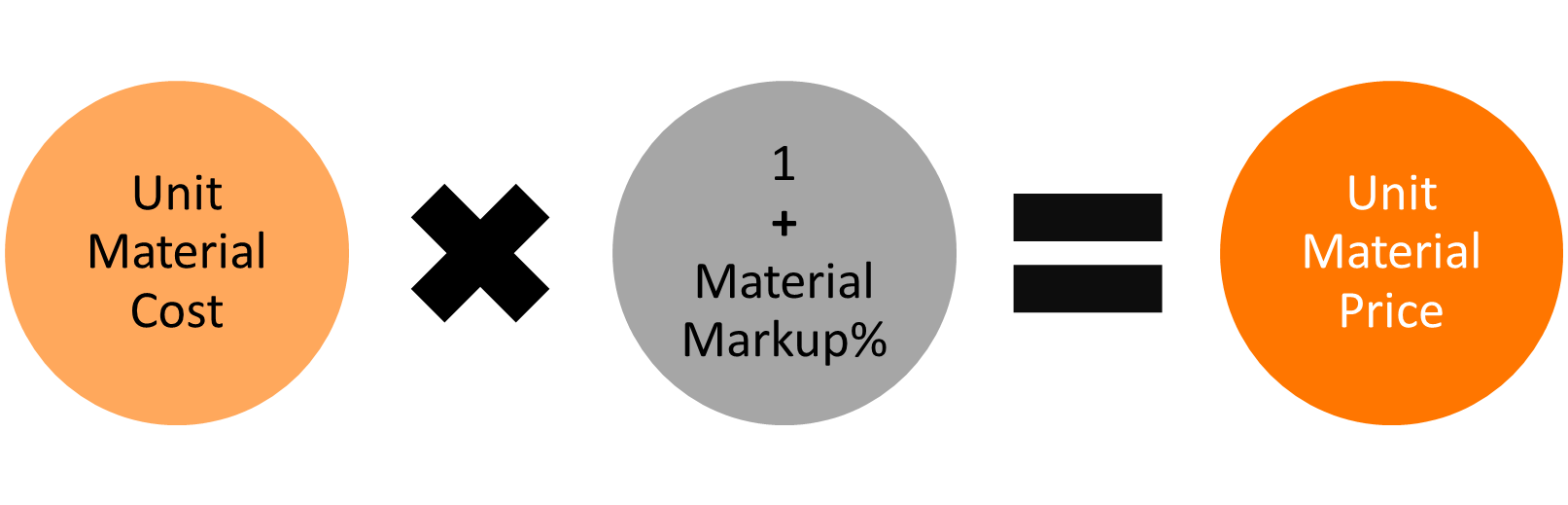
Unit Material Cost * (1 + Material Margin %) = Unit Material Price
How does SecturaFAB calculate how much I charge for material per part?
The weight or area of a part is used to determine the material cost portion of the line-item cost.
The rectangular weight of a part will be used if the part is not nested, but if a part is nested with either a single part nest or a multi part nest, a nested weight will be calculated and the nested weight of the part will be used for material cost calculations.
Unit Cost
Unit Cost = Part Weight * Material Cost
Example
Tables can't be imported directly. Please insert an image of your table which can be found here.
Material Cost = $0.75 per pound
Weight = 25 pounds
Unit Cost = 25 * $0.75 = $18.75
Unit Price
The Profit Model setting will determine how the Material Price is calculated.
Margin
If the Profit Model is set to margin, then the Material Price will be calculated as follows.
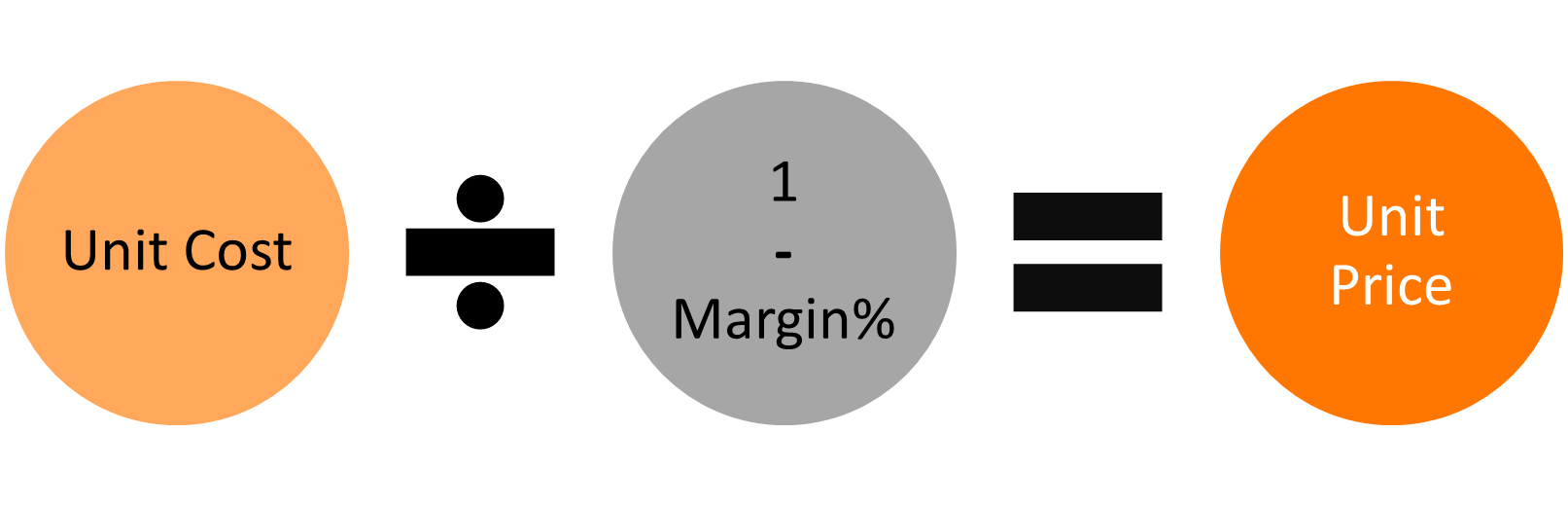
Unit Cost / (1 – Margin %) = Unit Price
Example
Margin = 15%
Unit Cost = $18.75
Unit Price = $18.75 / (1 – 0.15) = $18.75 / 0.85 = $22.0588
Margin = 15%
Unit Cost = $18.75
Unit Price = $18.75 / (1 – 0.15) = $18.75 / 0.85 = $22.0588
Markup
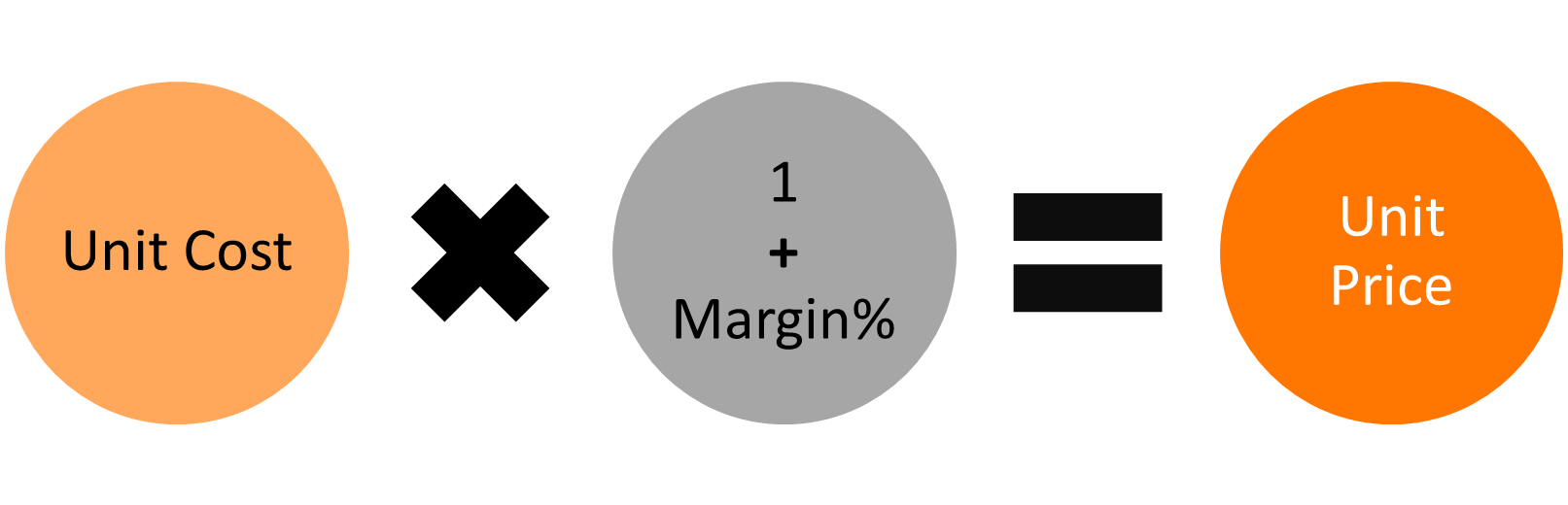
If the Profit Model is set to Markup, then the Material Price will be calculated as follows.
Unit Cost *(1 + Markup %) = Unit Price
Example
Markup = 15%
Unit Cost = $18.75
Unit Price = $18.75* (1 + 0.15) = $18.75 * 1.15 = $21.5625
Markup = 15%
Unit Cost = $18.75
Unit Price = $18.75* (1 + 0.15) = $18.75 * 1.15 = $21.5625
Related to